> ## Documentation Index
> Fetch the complete documentation index at: https://docs.shieldlabs.ai/llms.txt
> Use this file to discover all available pages before exploring further.
# Billing & Plans
> How plans and included identifications work for your ShieldLabs account.
ShieldLabs bills per **identification**, not per monthly active user. An identification is one check by the JavaScript snippet, the [event underneath each account](/concepts/accounts-and-identifications). Each plan includes a volume of identifications for your whole account, shared by every domain on it, and covers everything ShieldLabs does with them: your [users, devices, visitors and IP addresses](/concepts/entities), each identified and scored; [High-Risk Events](/features/high-risk-events) detected on your users; and, on every identification, the [Risk Score](/features/risk-scoring) with each named [risk signal](/features/risk-signals) behind it.
You manage your plan and usage on **Usage** in the [analytics dashboard](https://app.shieldlabs.ai/), and your payment method and invoices under **Settings > Billing**. [Usage and plan](/dashboard/usage) walks through both screens.
## What counts toward your plan
Each identification counts once against your account's included volume. Its Risk Score, `signals` and webhook come with it.
[History API](/api/server-api) reads on `account.shieldlabs.ai` and the Management API `GET /v1/profile` never count toward your plan.
[Webhook](/setup/webhooks) delivery never counts toward your plan.
The analytics dashboard, every breakdown, CSV export, and your plan and usage.
The simple rule: each **new** identification counts toward your plan. Reading results through the [History API](/api/server-api), everything in the analytics dashboard and every webhook ShieldLabs sends you are free.
## Plans
| Plan | Price | Included identifications | Domains | Best for |
| - | - | - | - | - |
| **Free** | \$0 | 5,000, one time | 1 | A first look at your users, devices and traffic quality |
| **Starter** | \$99/mo | 25,000 / month | 1 | Detecting risky users and scoring traffic quality on one site |
| **Growth** | \$399/mo | 150,000 / month | 3 | Stopping multi-accounting, account sharing and takeovers at scale. **Most popular** |
| **Scale** | \$999/mo | 500,000 / month | 5 | High-volume platforms that want priority support and a 99.9% uptime SLA |
| **Custom volume** | Contact us | Above 1M | Custom | A custom plan tailored to your traffic |
The Free plan is a one-time allowance of 5,000 identifications, no credit card required. Starter, Growth and Scale include a volume of identifications each billing month, shared by every domain on your account. For traffic above Scale, **Custom volume** is a committed-volume quote: [contact us](https://shieldlabs.ai/pricing).
### Billing frequency
Pick monthly or yearly billing. Yearly billing costs 20% less:
| Frequency | Discount |
| - | - |
| Monthly | Standard price |
| Yearly | **20% off** |
Included identifications renew every month on monthly and yearly billing alike. On yearly billing, each month starts on the day of the month your subscription started, and that month is the billing cycle: the included volume, its reset date and the `402` described below all follow it.
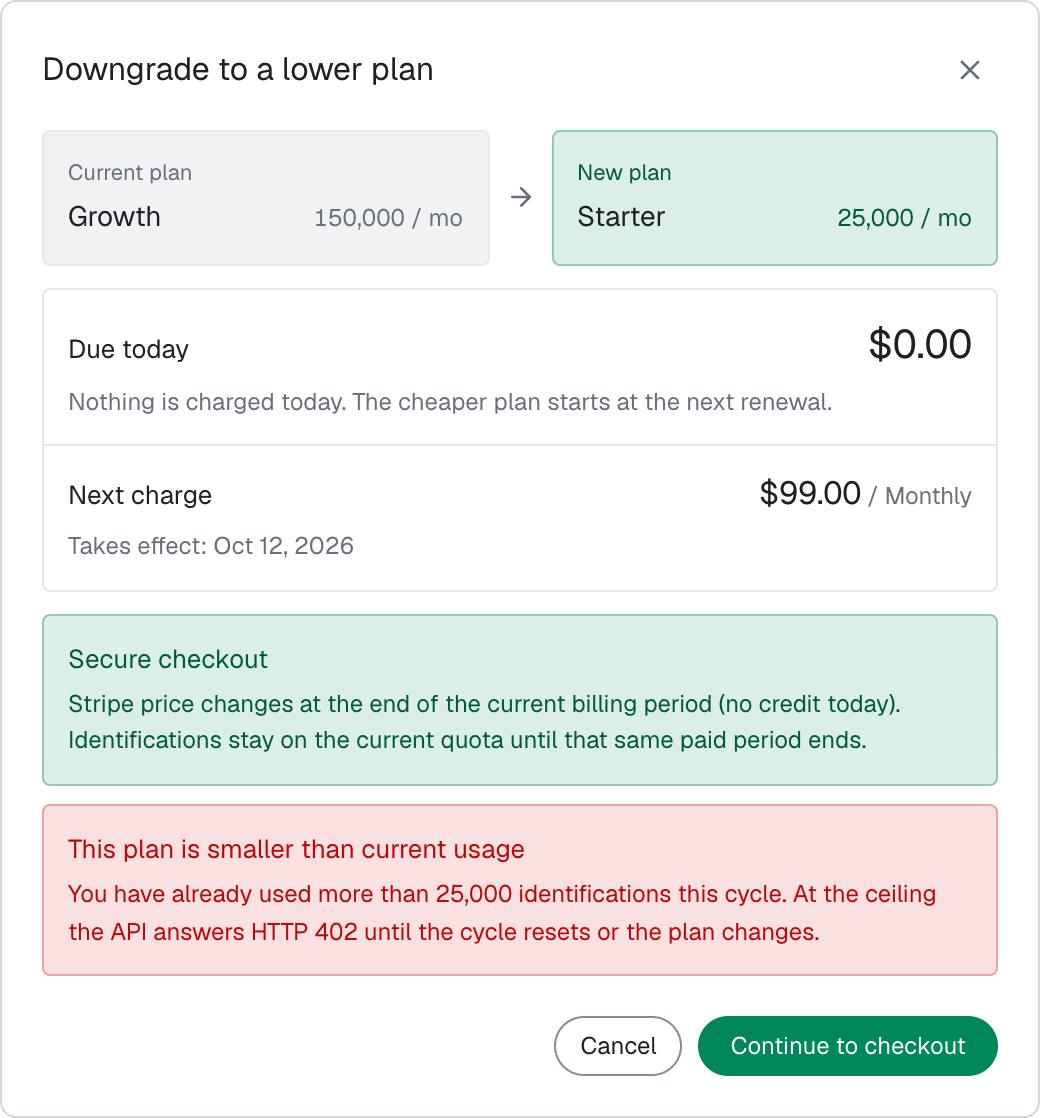
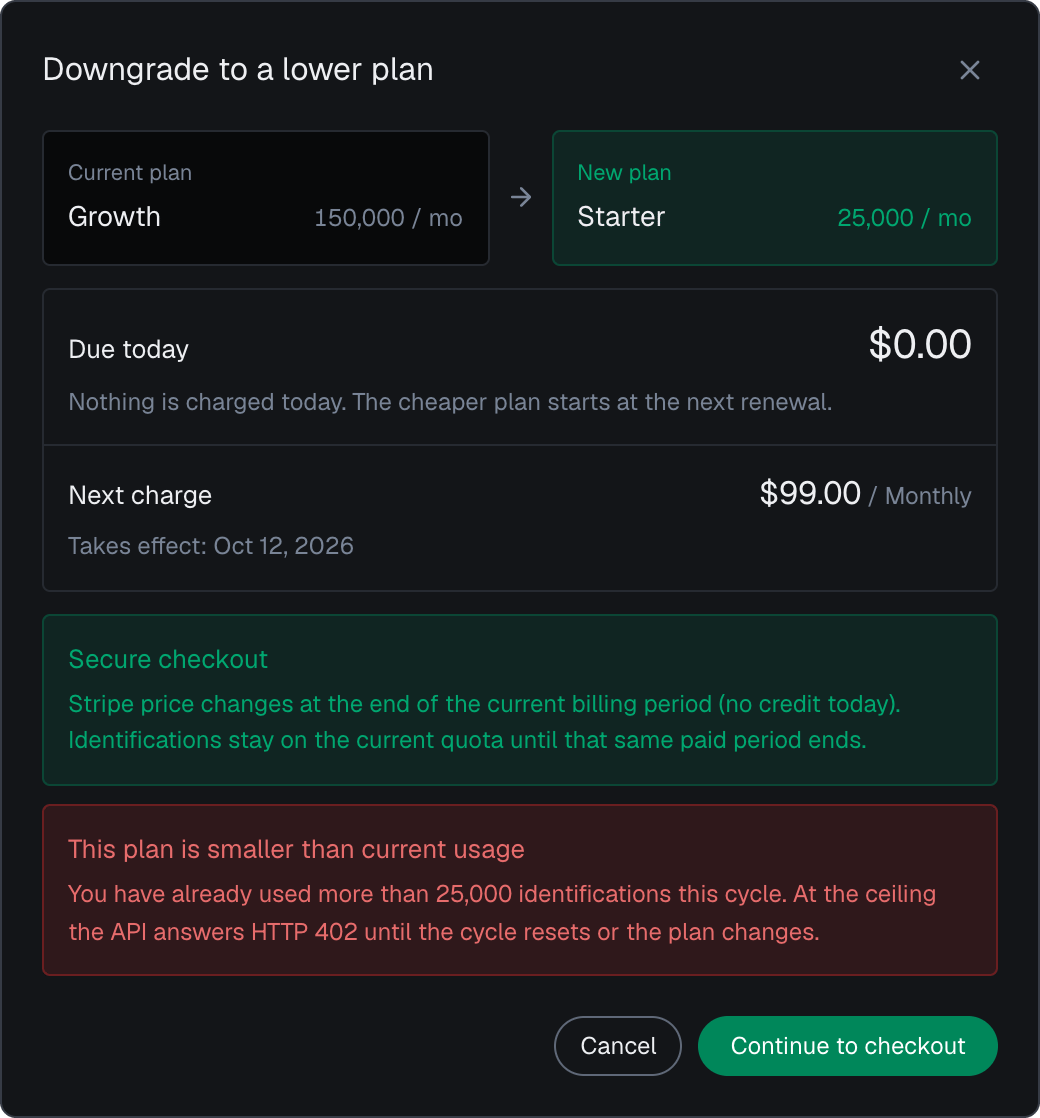
You can change your plan or billing frequency any time on **Usage** in the analytics dashboard: pick **Monthly** or **Yearly**, choose a plan, and confirm it in the dialog. The dialog shows a Stripe preview of the amount and warns you when the new plan is smaller than your current usage. A downgrade starts at the next renewal, when usage resets.
 ## What every plan includes
Every plan (Free, Starter, Growth and Scale) ships the **full feature set**. The tiers differ on included identifications, how many [domains](/setup/domains) you can keep active and the per-domain ingest rate on the [gateway](/rate-limits). Scale adds priority support and a 99.9% uptime SLA.
* **[Users, devices, visitors and IPs](/concepts/entities)**: users (the hashed User HID you pass), devices, visitors, public IPs and local IPs, identified and scored. The Device ID holds through cleared cookies, incognito mode and IP changes. [Identifiers](/features/identification) lists every ID.
* **[High-Risk Events](/features/high-risk-events)**: Multi-accounting, Account sharing, Impossible travel and Account takeover, detected on your users out of the box, each at Medium or High confidence. High-Risk Events are available in the analytics dashboard, the API and webhooks.
* **[Risk signals](/features/risk-signals)**: network and device intelligence (VPN, proxy, Tor, Privacy Relay, datacenter IP, anti-detect browser detection) and bot detection, drawn from 300+ device and network signals collected on each identification.
* **[Risk scoring](/features/risk-scoring)**: the explainable 0-100 Risk Score of each identification, with every risk signal named and weighted.
* **[Traffic analytics](/features/traffic-analytics)**: the analytics dashboard with traffic quality by source, channel and campaign, every breakdown, and CSV export.
* **[API](/api/overview)**: read one identification by request ID, or every identification of one user, device, visitor or IP address, from your backend.
* **[Webhooks](/setup/webhooks)**: the Risk Score and every named risk signal of each identification, pushed to your endpoints about 300 ms after the check.
* **[Support](/support)**: chat and email on every plan, including Free; Scale adds priority support.
## Compare all features
Every plan, Free included, ships the same capabilities; plans differ on included identifications, active domains, ingest rate, support and the uptime SLA.
**Volume and limits**
| Feature | Free | Starter | Growth | Scale |
| - | :-: | :-: | :-: | :-: |
| Identifications | 5,000 (once) | 25,000 | 150,000 | 500,000 |
| API reads (History, profile) | Not counted | Not counted | Not counted | Not counted |
| Domains | 1 | 1 | 3 | 5 |
| Ingest RPS per domain | 5 | 5 | 10 | 15 |
**Identification**
| Feature | Free | Starter | Growth | Scale |
| - | :-: | :-: | :-: | :-: |
| User HID (your account) | ✓ | ✓ | ✓ | ✓ |
| Device ID | ✓ | ✓ | ✓ | ✓ |
| Visitor ID | ✓ | ✓ | ✓ | ✓ |
| Session ID | ✓ | ✓ | ✓ | ✓ |
| Cookie ID | ✓ | ✓ | ✓ | ✓ |
| Linked accounts, devices, visitors and IPs | ✓ | ✓ | ✓ | ✓ |
**Risk Signals**
| Feature | Free | Starter | Growth | Scale |
| - | :-: | :-: | :-: | :-: |
| Network Intelligence | ✓ | ✓ | ✓ | ✓ |
| IP Geolocation | ✓ | ✓ | ✓ | ✓ |
| VPN Detection | ✓ | ✓ | ✓ | ✓ |
| Proxy Detection | ✓ | ✓ | ✓ | ✓ |
| Tor Detection | ✓ | ✓ | ✓ | ✓ |
| Privacy Relay Detection | ✓ | ✓ | ✓ | ✓ |
| Datacenter Detection | ✓ | ✓ | ✓ | ✓ |
| IP Reputation (Abuser) | ✓ | ✓ | ✓ | ✓ |
| Geolocation Spoofing Detection | ✓ | ✓ | ✓ | ✓ |
| Anti-detect Browser Detection | ✓ | ✓ | ✓ | ✓ |
| OS Mismatch Detection | ✓ | ✓ | ✓ | ✓ |
| Incognito Detection | ✓ | ✓ | ✓ | ✓ |
**Bots and automation**
| Feature | Free | Starter | Growth | Scale |
| - | :-: | :-: | :-: | :-: |
| Bad bots (browser automation) | ✓ | ✓ | ✓ | ✓ |
| Good bots (search engine crawlers) | ✓ | ✓ | ✓ | ✓ |
| JavaScript Disabled | ✓ | ✓ | ✓ | ✓ |
**Risk Scoring**
| Feature | Free | Starter | Growth | Scale |
| - | :-: | :-: | :-: | :-: |
| Risk Score (0-100) | ✓ | ✓ | ✓ | ✓ |
| Scoring Details | ✓ | ✓ | ✓ | ✓ |
**High-Risk Events**
| Feature | Free | Starter | Growth | Scale |
| - | :-: | :-: | :-: | :-: |
| Multi-accounting | ✓ | ✓ | ✓ | ✓ |
| Account sharing | ✓ | ✓ | ✓ | ✓ |
| Impossible travel | ✓ | ✓ | ✓ | ✓ |
| Account takeover | ✓ | ✓ | ✓ | ✓ |
| Event confidence (Medium / High) | ✓ | ✓ | ✓ | ✓ |
**Analytics**
| Feature | Free | Starter | Growth | Scale |
| - | :-: | :-: | :-: | :-: |
| Identifications table | ✓ | ✓ | ✓ | ✓ |
| Traffic quality | ✓ | ✓ | ✓ | ✓ |
| Traffic-Source Breakdown | ✓ | ✓ | ✓ | ✓ |
| Paid-Click Fraud | ✓ | ✓ | ✓ | ✓ |
| Data Export | ✓ | ✓ | ✓ | ✓ |
**API & Delivery**
| Feature | Free | Starter | Growth | Scale |
| - | :-: | :-: | :-: | :-: |
| API | ✓ | ✓ | ✓ | ✓ |
| Webhooks | ✓ | ✓ | ✓ | ✓ |
| History | ✓ | ✓ | ✓ | ✓ |
**Platform & Support**
| Feature | Free | Starter | Growth | Scale |
| - | :-: | :-: | :-: | :-: |
| Payload Encryption | ✓ | ✓ | ✓ | ✓ |
| Data Retention | 12 months | 12 months | 12 months | 12 months |
| Support | Chat and email | Chat and email | Chat and email | Chat, email and priority |
| Uptime SLA | Not included | Not included | Not included | 99.9% |
## Estimating your monthly identifications
Usage follows how many identifications your pages run:
On signed-in pages, call `checkAuthenticatedUser(hashedUserId)`; that steady coverage is what builds each user's risk, linked devices and High-Risk Events. Within one visit (while a page of your site stays open in the browser), it runs at most one identification every five minutes for the same user, shared across open tabs, and a call inside that window counts nothing. On a multi-page site, a full page load in the only open tab can start a new visit with its own identification. Each `forceCheckAuthenticatedUser` or `forceCheckAnonymous` call, at sign-up, login, checkout or another sensitive action, adds one identification. Logged-out pages you score with `checkAnonymous` follow the same five-minute rule.
Acting on the [webhook](/setup/webhooks) you already received is free, and so are reads through the [History API](/api/server-api) on `account.shieldlabs.ai`.
Analytics, breakdowns and exports are free, so reporting and review work never adds to your bill.
A login flow that identifies the attempt with `forceCheckAnonymous` on the form's first focus, then the signed-in session with `forceCheckAuthenticatedUser` on the first signed-in page, uses two identifications per login. Reading that account's earlier identifications through the [History API](/api/server-api#read-every-identification-of-one-account) by `user_hid` adds nothing, since reads are free. [Optimize usage and cost](/setup/optimizing-usage) maps each touchpoint to its call.
## When you reach your included volume
When your account reaches its included volume, identification pauses: the identification request returns **HTTP 402** until the billing cycle resets or you change plan. History API and profile reads never return `402`. On Free, the 5,000 identifications are one time, so identification resumes when you move to a paid plan.
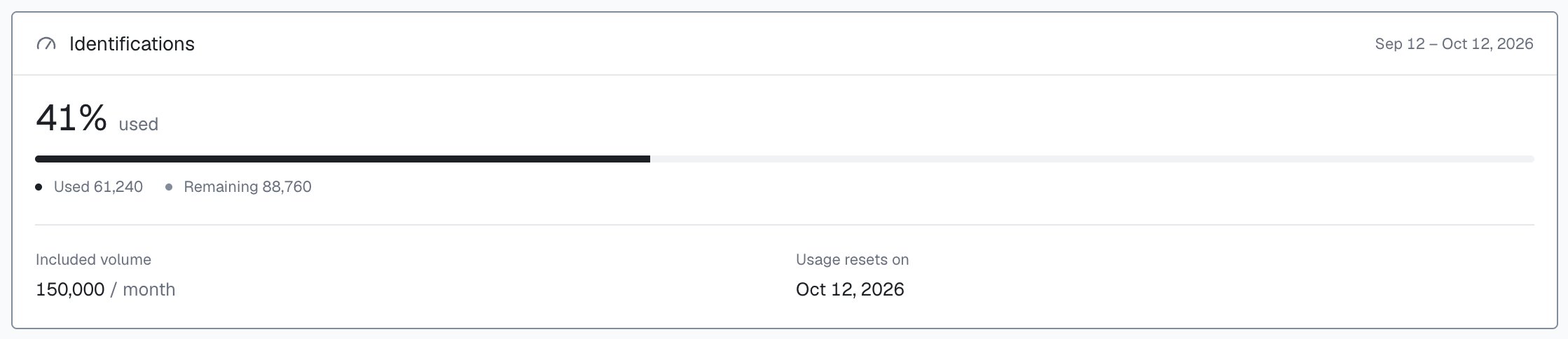
On **Usage**, the Identifications card shows how much of your included volume you used this billing cycle, what remains and the date usage resets. It follows the billing cycle, not the period you pick on other screens. Reads through the History API never use included identifications.
## What every plan includes
Every plan (Free, Starter, Growth and Scale) ships the **full feature set**. The tiers differ on included identifications, how many [domains](/setup/domains) you can keep active and the per-domain ingest rate on the [gateway](/rate-limits). Scale adds priority support and a 99.9% uptime SLA.
* **[Users, devices, visitors and IPs](/concepts/entities)**: users (the hashed User HID you pass), devices, visitors, public IPs and local IPs, identified and scored. The Device ID holds through cleared cookies, incognito mode and IP changes. [Identifiers](/features/identification) lists every ID.
* **[High-Risk Events](/features/high-risk-events)**: Multi-accounting, Account sharing, Impossible travel and Account takeover, detected on your users out of the box, each at Medium or High confidence. High-Risk Events are available in the analytics dashboard, the API and webhooks.
* **[Risk signals](/features/risk-signals)**: network and device intelligence (VPN, proxy, Tor, Privacy Relay, datacenter IP, anti-detect browser detection) and bot detection, drawn from 300+ device and network signals collected on each identification.
* **[Risk scoring](/features/risk-scoring)**: the explainable 0-100 Risk Score of each identification, with every risk signal named and weighted.
* **[Traffic analytics](/features/traffic-analytics)**: the analytics dashboard with traffic quality by source, channel and campaign, every breakdown, and CSV export.
* **[API](/api/overview)**: read one identification by request ID, or every identification of one user, device, visitor or IP address, from your backend.
* **[Webhooks](/setup/webhooks)**: the Risk Score and every named risk signal of each identification, pushed to your endpoints about 300 ms after the check.
* **[Support](/support)**: chat and email on every plan, including Free; Scale adds priority support.
## Compare all features
Every plan, Free included, ships the same capabilities; plans differ on included identifications, active domains, ingest rate, support and the uptime SLA.
**Volume and limits**
| Feature | Free | Starter | Growth | Scale |
| - | :-: | :-: | :-: | :-: |
| Identifications | 5,000 (once) | 25,000 | 150,000 | 500,000 |
| API reads (History, profile) | Not counted | Not counted | Not counted | Not counted |
| Domains | 1 | 1 | 3 | 5 |
| Ingest RPS per domain | 5 | 5 | 10 | 15 |
**Identification**
| Feature | Free | Starter | Growth | Scale |
| - | :-: | :-: | :-: | :-: |
| User HID (your account) | ✓ | ✓ | ✓ | ✓ |
| Device ID | ✓ | ✓ | ✓ | ✓ |
| Visitor ID | ✓ | ✓ | ✓ | ✓ |
| Session ID | ✓ | ✓ | ✓ | ✓ |
| Cookie ID | ✓ | ✓ | ✓ | ✓ |
| Linked accounts, devices, visitors and IPs | ✓ | ✓ | ✓ | ✓ |
**Risk Signals**
| Feature | Free | Starter | Growth | Scale |
| - | :-: | :-: | :-: | :-: |
| Network Intelligence | ✓ | ✓ | ✓ | ✓ |
| IP Geolocation | ✓ | ✓ | ✓ | ✓ |
| VPN Detection | ✓ | ✓ | ✓ | ✓ |
| Proxy Detection | ✓ | ✓ | ✓ | ✓ |
| Tor Detection | ✓ | ✓ | ✓ | ✓ |
| Privacy Relay Detection | ✓ | ✓ | ✓ | ✓ |
| Datacenter Detection | ✓ | ✓ | ✓ | ✓ |
| IP Reputation (Abuser) | ✓ | ✓ | ✓ | ✓ |
| Geolocation Spoofing Detection | ✓ | ✓ | ✓ | ✓ |
| Anti-detect Browser Detection | ✓ | ✓ | ✓ | ✓ |
| OS Mismatch Detection | ✓ | ✓ | ✓ | ✓ |
| Incognito Detection | ✓ | ✓ | ✓ | ✓ |
**Bots and automation**
| Feature | Free | Starter | Growth | Scale |
| - | :-: | :-: | :-: | :-: |
| Bad bots (browser automation) | ✓ | ✓ | ✓ | ✓ |
| Good bots (search engine crawlers) | ✓ | ✓ | ✓ | ✓ |
| JavaScript Disabled | ✓ | ✓ | ✓ | ✓ |
**Risk Scoring**
| Feature | Free | Starter | Growth | Scale |
| - | :-: | :-: | :-: | :-: |
| Risk Score (0-100) | ✓ | ✓ | ✓ | ✓ |
| Scoring Details | ✓ | ✓ | ✓ | ✓ |
**High-Risk Events**
| Feature | Free | Starter | Growth | Scale |
| - | :-: | :-: | :-: | :-: |
| Multi-accounting | ✓ | ✓ | ✓ | ✓ |
| Account sharing | ✓ | ✓ | ✓ | ✓ |
| Impossible travel | ✓ | ✓ | ✓ | ✓ |
| Account takeover | ✓ | ✓ | ✓ | ✓ |
| Event confidence (Medium / High) | ✓ | ✓ | ✓ | ✓ |
**Analytics**
| Feature | Free | Starter | Growth | Scale |
| - | :-: | :-: | :-: | :-: |
| Identifications table | ✓ | ✓ | ✓ | ✓ |
| Traffic quality | ✓ | ✓ | ✓ | ✓ |
| Traffic-Source Breakdown | ✓ | ✓ | ✓ | ✓ |
| Paid-Click Fraud | ✓ | ✓ | ✓ | ✓ |
| Data Export | ✓ | ✓ | ✓ | ✓ |
**API & Delivery**
| Feature | Free | Starter | Growth | Scale |
| - | :-: | :-: | :-: | :-: |
| API | ✓ | ✓ | ✓ | ✓ |
| Webhooks | ✓ | ✓ | ✓ | ✓ |
| History | ✓ | ✓ | ✓ | ✓ |
**Platform & Support**
| Feature | Free | Starter | Growth | Scale |
| - | :-: | :-: | :-: | :-: |
| Payload Encryption | ✓ | ✓ | ✓ | ✓ |
| Data Retention | 12 months | 12 months | 12 months | 12 months |
| Support | Chat and email | Chat and email | Chat and email | Chat, email and priority |
| Uptime SLA | Not included | Not included | Not included | 99.9% |
## Estimating your monthly identifications
Usage follows how many identifications your pages run:
On signed-in pages, call `checkAuthenticatedUser(hashedUserId)`; that steady coverage is what builds each user's risk, linked devices and High-Risk Events. Within one visit (while a page of your site stays open in the browser), it runs at most one identification every five minutes for the same user, shared across open tabs, and a call inside that window counts nothing. On a multi-page site, a full page load in the only open tab can start a new visit with its own identification. Each `forceCheckAuthenticatedUser` or `forceCheckAnonymous` call, at sign-up, login, checkout or another sensitive action, adds one identification. Logged-out pages you score with `checkAnonymous` follow the same five-minute rule.
Acting on the [webhook](/setup/webhooks) you already received is free, and so are reads through the [History API](/api/server-api) on `account.shieldlabs.ai`.
Analytics, breakdowns and exports are free, so reporting and review work never adds to your bill.
A login flow that identifies the attempt with `forceCheckAnonymous` on the form's first focus, then the signed-in session with `forceCheckAuthenticatedUser` on the first signed-in page, uses two identifications per login. Reading that account's earlier identifications through the [History API](/api/server-api#read-every-identification-of-one-account) by `user_hid` adds nothing, since reads are free. [Optimize usage and cost](/setup/optimizing-usage) maps each touchpoint to its call.
## When you reach your included volume
When your account reaches its included volume, identification pauses: the identification request returns **HTTP 402** until the billing cycle resets or you change plan. History API and profile reads never return `402`. On Free, the 5,000 identifications are one time, so identification resumes when you move to a paid plan.
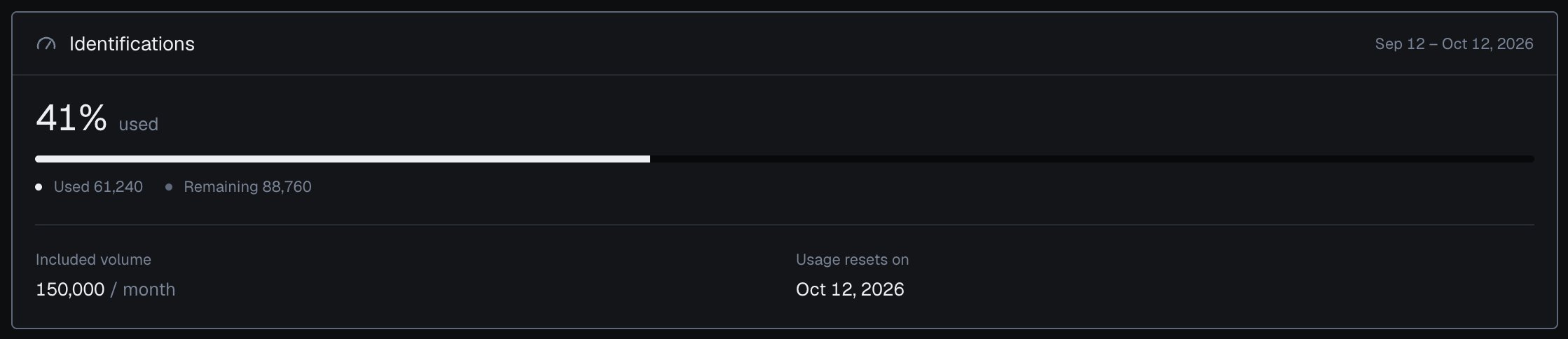
On **Usage**, the Identifications card shows how much of your included volume you used this billing cycle, what remains and the date usage resets. It follows the billing cycle, not the period you pick on other screens. Reads through the History API never use included identifications.
 **402** means your included volume is used up. It is separate from **429** rate limiting on the [gateway](/rate-limits): per IP, per domain, or a temporary domain freeze. A frozen domain pauses processing, is not billed and resumes on its own. The [Errors](/errors) page carries the full status-code list.
## Next steps
Compare plans and change yours on **Usage** in the analytics dashboard, described on [Usage and plan](/dashboard/usage). To put results to work, read [Acting on results](/guides/acting-on-risk-score). Delivery and programmatic reads are on the [webhooks](/setup/webhooks) setup and the [Server API](/api/server-api) pages; neither counts toward your plan.
This documentation is built and hosted on [Mintlify](https://mintlify.com), a developer documentation platform.
**402** means your included volume is used up. It is separate from **429** rate limiting on the [gateway](/rate-limits): per IP, per domain, or a temporary domain freeze. A frozen domain pauses processing, is not billed and resumes on its own. The [Errors](/errors) page carries the full status-code list.
## Next steps
Compare plans and change yours on **Usage** in the analytics dashboard, described on [Usage and plan](/dashboard/usage). To put results to work, read [Acting on results](/guides/acting-on-risk-score). Delivery and programmatic reads are on the [webhooks](/setup/webhooks) setup and the [Server API](/api/server-api) pages; neither counts toward your plan.
This documentation is built and hosted on [Mintlify](https://mintlify.com), a developer documentation platform.