> ## Documentation Index
> Fetch the complete documentation index at: https://docs.shieldlabs.ai/llms.txt
> Use this file to discover all available pages before exploring further.

# Install the JS Snippet

> Install the JavaScript snippet and start identifying your users and visitors.

The ShieldLabs snippet identifies your signed-in users and anonymous visitors in the browser. It is a single **ES module** you load by dynamic `import()` from `cdn.shieldlabs.ai`, on any site or web app that runs in a browser.

The module collects 300+ device and network signals and posts them to ShieldLabs automatically. ShieldLabs derives the Visitor ID, Device ID and Risk Score on the server and delivers them by [webhook](/setup/webhooks) and the [Server API](/api/server-api). Call `checkAuthenticatedUser` with a hashed User HID for [signed-in users](#identify-signed-in-users) and `checkAnonymous` for everyone else. You correlate the browser call with the server result by the `requestID` from the optional `onInitialized` handler.

<Note>
  The snippet stores a long-lived first-party id under the key **`cookieID`** in both `localStorage` and a first-party cookie. That value is sent to ShieldLabs as `cookieID` and stored server-side as the Cookie ID. The Visitor ID (one device plus one cookie) is computed on the server from the Device ID and the Cookie ID and reaches your backend with each result.
</Note>

<Warning>
  **No built-in consent gate.** Calling `checkAnonymous()`, `checkAuthenticatedUser()`, or either `forceCheck*` starts identification immediately. The module does not read your cookie banner or CMP. You control when the call runs. For SDK processing you initiate on your site, you generally act as the controller and ShieldLabs as your processor, as set out in your agreement with ShieldLabs. Confirm what applicable law requires with your own counsel. See [Cookie & Tracking Policy §2](/legal/cookie-policy). This is not legal advice.
</Warning>

If applicable law or your policy requires prior consent, call the snippet only after consent is granted (for example from your CMP accept callback). In your own privacy and cookie notices, include the first-party `cookieID`, the device and network signals the SDK collects, your anti-fraud purpose, and, where applicable, the legal basis you rely on. Never pass directly identifying information (such as names, email addresses, or phone numbers) as the User HID.

## Install (HTML)

Add this near the top of `<body>`. Use `type="module"` (the snippet relies on `import.meta.url` and top-level dynamic import, so it cannot run as a classic script).

```html theme={null}
<script type="module">
  const mod = await import('https://cdn.shieldlabs.ai/snippet.js?publicKey=YOUR_PUBLIC_KEY');
  mod.checkAnonymous();
</script>
<noscript>
  <img src="https://rest.shieldlabs.ai/noscript?publicKey=YOUR_PUBLIC_KEY" width="1" height="1" alt="" />
</noscript>
```

`publicKey` is your site's Public Key, one per registered domain. It is safe to expose in page source. In the analytics dashboard, open **Integration > Install** and select the domain: its snippets already carry the Public Key (see [API keys](/setup/keys) and the [Integration](/dashboard/integration) screen).

The `<noscript><img>` beacon is a crawlable `GET /noscript` so visits still appear when JavaScript does not run (search crawlers, JS-off browsers). Allow `https://rest.shieldlabs.ai` in `img-src` if you set a [CSP](/setup/csp).

<Warning>
  Load the snippet directly from `https://cdn.shieldlabs.ai`. Do not self-host, mirror, bundle, or pin copies of `snippet.js` or its runtime imports: the snippet and its modules receive compatibility and security updates together. The official CDN keeps these unversioned runtime files on a short revalidation policy.
</Warning>

<Note>
  The call is fully **async and non-blocking**. Several checks run in parallel while the page renders. Each export returns nothing (`void`) and never throws. Pass `{ onInitialized }` if you need the `requestID` as soon as the check starts; omit it to fire-and-forget.
</Note>

## Identify signed-in users

On every page a signed-in user loads, call `checkAuthenticatedUser` with a hashed User HID instead of `checkAnonymous`. Users, account-level risk and all four High-Risk Events are built on it. Keep `checkAnonymous` for visitors who are not signed in.

```html theme={null}
<script type="module">
  const mod = await import('https://cdn.shieldlabs.ai/snippet.js?publicKey=YOUR_PUBLIC_KEY');
  mod.checkAuthenticatedUser('HASHED_USER_ID'); // hashed or pseudonymous, never an email or a raw account id
</script>
```

<Warning>
  Always pass a **hashed or pseudonymous** id to `checkAuthenticatedUser` and `forceCheckAuthenticatedUser`. Never pass a raw email or a real account id. ShieldLabs stores this value as the User HID: the key that ties identifications to the account and on which High-Risk Events are detected. Keep it irreversible to a real identity.
</Warning>

[High-Risk Events](/features/high-risk-events) (Multi-accounting, Account sharing, Impossible travel and Account takeover) are detected on users and are available in the analytics dashboard, the API and webhooks.

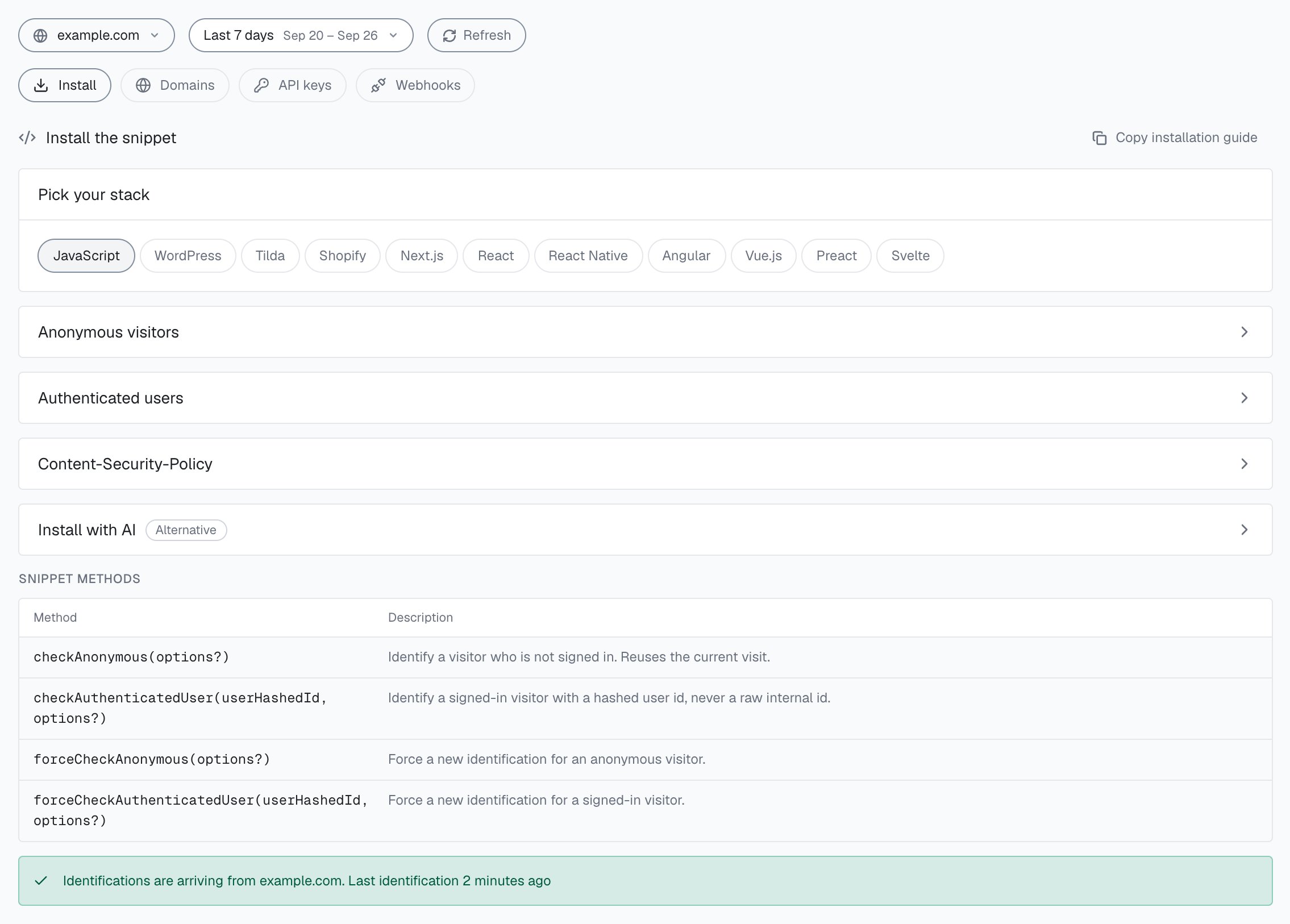
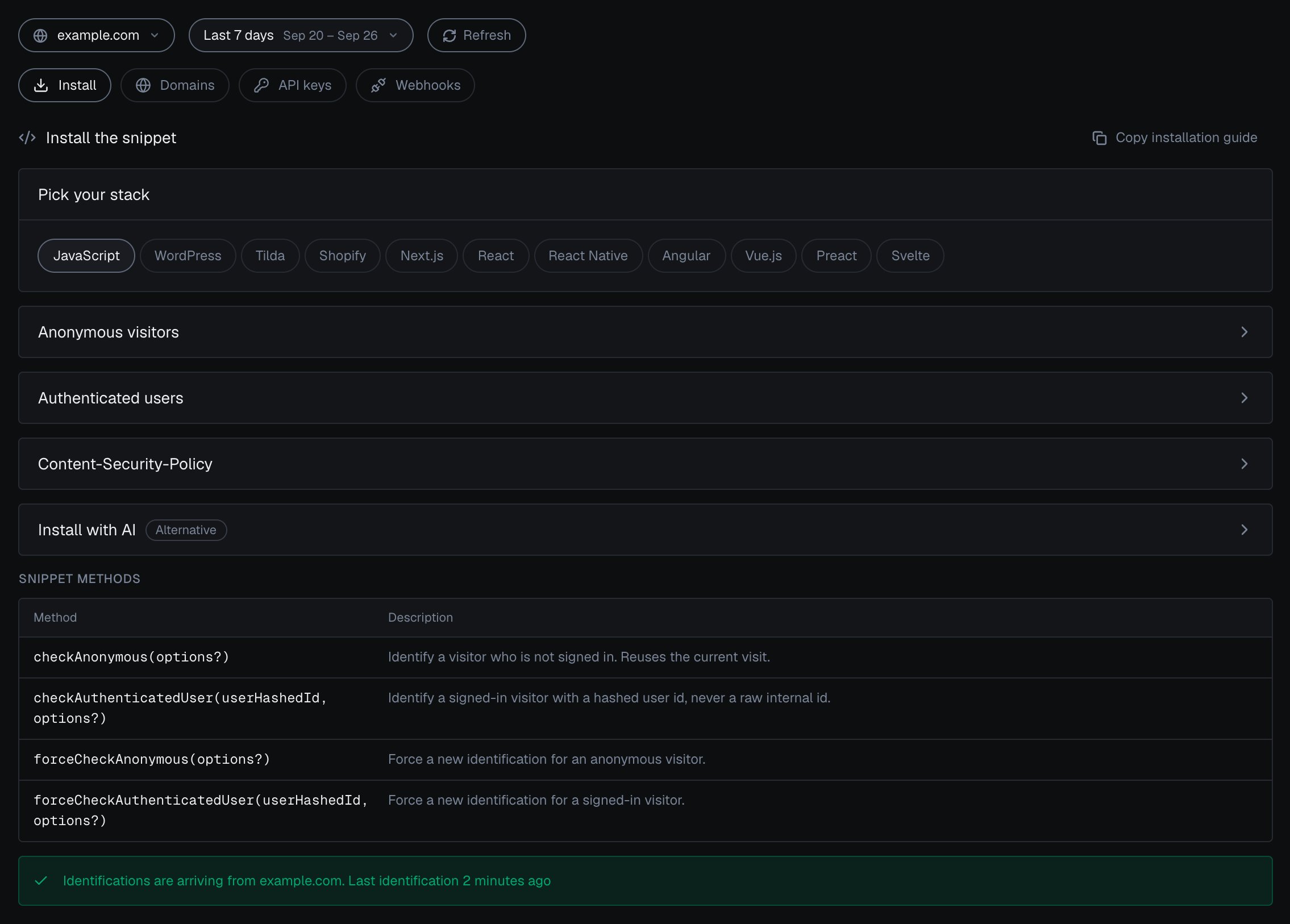
**Integration > Install** in the analytics dashboard shows both snippets for the domain you select, one for anonymous visitors and one for authenticated users, and whether the domain is reporting.

<Frame caption="Integration > Install in the analytics dashboard: pick your stack, open the snippet for anonymous visitors or authenticated users, and check that identifications are arriving.">
  <img className="block dark:hidden" src="https://mintcdn.com/shieldlabs-725d18f1/JyleDzUFYU3SXP4Q/images/dashboard/integration-install.png?fit=max&auto=format&n=JyleDzUFYU3SXP4Q&q=85&s=53b7f1284155b8ad21ebb37658416629" alt="Integration > Install for example.com in the analytics dashboard: the stack picker with JavaScript selected, the Anonymous visitors and Authenticated users snippet cards (each expands to its snippet), the Snippet methods table with checkAnonymous, checkAuthenticatedUser, forceCheckAnonymous and forceCheckAuthenticatedUser, and the line Identifications are arriving from example.com. Last identification 2 minutes ago." data-og-width="2270" width="2270" data-og-height="1626" height="1626" data-path="images/dashboard/integration-install.png" data-optimize="true" data-opv="3" srcset="https://mintcdn.com/shieldlabs-725d18f1/JyleDzUFYU3SXP4Q/images/dashboard/integration-install.png?w=280&fit=max&auto=format&n=JyleDzUFYU3SXP4Q&q=85&s=191957c1ac0216c9041b79f89aa4df4d 280w, https://mintcdn.com/shieldlabs-725d18f1/JyleDzUFYU3SXP4Q/images/dashboard/integration-install.png?w=560&fit=max&auto=format&n=JyleDzUFYU3SXP4Q&q=85&s=171e1f7db1334b440ccf330f7e8b47ef 560w, https://mintcdn.com/shieldlabs-725d18f1/JyleDzUFYU3SXP4Q/images/dashboard/integration-install.png?w=840&fit=max&auto=format&n=JyleDzUFYU3SXP4Q&q=85&s=fa4195ccfdd3e967bbf709e58f6554e1 840w, https://mintcdn.com/shieldlabs-725d18f1/JyleDzUFYU3SXP4Q/images/dashboard/integration-install.png?w=1100&fit=max&auto=format&n=JyleDzUFYU3SXP4Q&q=85&s=d3ae7c208786e2fb9db3b1b9424e0ea1 1100w, https://mintcdn.com/shieldlabs-725d18f1/JyleDzUFYU3SXP4Q/images/dashboard/integration-install.png?w=1650&fit=max&auto=format&n=JyleDzUFYU3SXP4Q&q=85&s=b9fe0c94042ca1cab979e91a14ef51cb 1650w, https://mintcdn.com/shieldlabs-725d18f1/JyleDzUFYU3SXP4Q/images/dashboard/integration-install.png?w=2500&fit=max&auto=format&n=JyleDzUFYU3SXP4Q&q=85&s=d22ea98cec48e44df506b1e55557d9cd 2500w" />

  <img className="hidden dark:block" src="https://mintcdn.com/shieldlabs-725d18f1/JyleDzUFYU3SXP4Q/images/dashboard/integration-install-dark.png?fit=max&auto=format&n=JyleDzUFYU3SXP4Q&q=85&s=79ac6911f5357327a4be16035672d314" alt="Integration > Install for example.com in the analytics dashboard in the dark theme: the stack picker with JavaScript selected, the Anonymous visitors and Authenticated users snippet cards (each expands to its snippet), the Snippet methods table with checkAnonymous, checkAuthenticatedUser, forceCheckAnonymous and forceCheckAuthenticatedUser, and the line Identifications are arriving from example.com. Last identification 2 minutes ago." data-og-width="2270" width="2270" data-og-height="1626" height="1626" data-path="images/dashboard/integration-install-dark.png" data-optimize="true" data-opv="3" srcset="https://mintcdn.com/shieldlabs-725d18f1/JyleDzUFYU3SXP4Q/images/dashboard/integration-install-dark.png?w=280&fit=max&auto=format&n=JyleDzUFYU3SXP4Q&q=85&s=ec814d76f9f7a3c8b29762bff4c254ba 280w, https://mintcdn.com/shieldlabs-725d18f1/JyleDzUFYU3SXP4Q/images/dashboard/integration-install-dark.png?w=560&fit=max&auto=format&n=JyleDzUFYU3SXP4Q&q=85&s=e91e1764cd4947c1330f41097d71a12f 560w, https://mintcdn.com/shieldlabs-725d18f1/JyleDzUFYU3SXP4Q/images/dashboard/integration-install-dark.png?w=840&fit=max&auto=format&n=JyleDzUFYU3SXP4Q&q=85&s=fb13f73d83db0c32304a024e5d2ad0aa 840w, https://mintcdn.com/shieldlabs-725d18f1/JyleDzUFYU3SXP4Q/images/dashboard/integration-install-dark.png?w=1100&fit=max&auto=format&n=JyleDzUFYU3SXP4Q&q=85&s=ade89d4ca9d3c171926bdff8655fe320 1100w, https://mintcdn.com/shieldlabs-725d18f1/JyleDzUFYU3SXP4Q/images/dashboard/integration-install-dark.png?w=1650&fit=max&auto=format&n=JyleDzUFYU3SXP4Q&q=85&s=2efa6917291fa9ce30e28cce85c00984 1650w, https://mintcdn.com/shieldlabs-725d18f1/JyleDzUFYU3SXP4Q/images/dashboard/integration-install-dark.png?w=2500&fit=max&auto=format&n=JyleDzUFYU3SXP4Q&q=85&s=035d2ce3672913f70c07179dce0437e3 2500w" />
</Frame>

## The four exports

The module exports four functions. Each call that runs an identification counts as one identification against your plan. They differ in two ways: whether they tie the identification to your user (User HID), and whether they wait for the five-minute window. Within one visit (while a page of your site stays open in the browser, across route changes in a single-page app and across open tabs), `checkAnonymous` and `checkAuthenticatedUser` run at most one identification every five minutes for the same user. A call inside that window posts nothing, counts nothing, and its `onInitialized` handler receives `{ status: "not_initialized" }`. On a multi-page site, a full page load in the only open tab can start a new visit with its own identification. The `forceCheck*` exports run an identification every time.

| Export | What it does | Use it for |
| - | - | - |
| `checkAuthenticatedUser(userHID, options?)` | Identifies a signed-in user and ties the identification to your User HID | Every page a signed-in user loads. Pass a hashed or pseudonymous id |
| `checkAnonymous(options?)` | Identifies a visitor who is not signed in | Logged-out traffic |
| `forceCheckAuthenticatedUser(userHID, options?)` | Runs an identification now, tied to your User HID, even inside the five-minute window | Right after login, or before a high-risk action |
| `forceCheckAnonymous(options?)` | Runs an identification now for a visitor who is not signed in | Before a sensitive action on logged-out traffic |

### `forceCheck*`: run now

`checkAnonymous` and `checkAuthenticatedUser` share one session per user in the browser, across the open tabs of your site. Calls in the same session share one Session ID. A new session, with a new Session ID, starts on the next page load after the last open page of your site is closed or navigated away from; in a single tab on a multi-page site, that can be every full page load.

`forceCheckAnonymous` and `forceCheckAuthenticatedUser` run an identification every time, even inside the five-minute window. They keep the current Session ID, issue a new `requestID` and restart the five-minute window. Reach for them when the moment matters:

* **Right after login.** Run the check now that you know who the user is, so ShieldLabs ties this identification to the account.
* **Before a sensitive action** (checkout, withdrawal, password change, a new device approval). Get a fresh Risk Score keyed to a `requestID` you can act on.

```js theme={null}
// after a successful login
mod.forceCheckAuthenticatedUser(hashedUserId, {
  onInitialized: (result) => {
    if (result.status !== 'initialized') return;
    const requestID = result.requestID;
    // store requestID, then read the Risk Score server-side via webhook or History API
  },
});
```

## The optional `onInitialized` handler

Each export accepts an optional options object. `onInitialized` is called **once**, asynchronously, when the check starts (or when no check runs). The methods return `void` and never throw:

* `{ status: "initialized", requestID }`: the join key to the webhook and the History API
* `{ status: "not_initialized" }`: no identification ran and nothing is counted. The five-minute window for this user is still open, another tab is already running the check, the User HID or Public Key is invalid, or the check could not start.

Anonymous calls take options as the **only** argument. Do not pass `undefined` first.

```js theme={null}
mod.checkAnonymous({
  onInitialized: (result) => {
    if (result.status !== 'initialized') return;
    const requestID = result.requestID;
    // requestID: join key to the webhook / History API
  },
});
```

<Note>
  The server computes the Visitor ID, Device ID and Risk Score. Send the `requestID` to your backend, then read the result from the [webhook](/setup/webhooks) payload or the [History API](/api/server-api) (query by `request_id`).
</Note>

The flow:

1. `onInitialized` receives `{ status: "initialized", requestID }` as soon as the check starts, or `{ status: "not_initialized" }` when no check runs.
2. The snippet collects signals and posts them to `rest.shieldlabs.ai`.
3. ShieldLabs scores the identification in about 300 ms and delivers **one** webhook with the final Risk Score. When follow-up network checks run, it waits for them, at most about 10 seconds.
4. Your backend matches the webhook (or History API row) to the browser call by `requestID`, and to the account by `user_hid`.

## Framework integrations

The HTML method above works anywhere. In a framework, put the same dynamic `import()` inside a lifecycle hook so it runs once on mount. Pass your Public Key in from config or props, and the hashed User HID once the user is signed in.

<Tabs>
  <Tab title="Native JS">
    ```html theme={null}
    <script type="module">
      const PUBLIC_KEY = 'YOUR_PUBLIC_KEY';
      const mod = await import(`https://cdn.shieldlabs.ai/snippet.js?publicKey=${PUBLIC_KEY}`);

      const userHashedId = null; // set to your hashed user id when the user is signed in

      if (userHashedId) {
        mod.checkAuthenticatedUser(userHashedId);
      } else {
        mod.checkAnonymous();
      }

      // run a check now, even inside the five-minute window, e.g. right after login:
      // mod.forceCheckAuthenticatedUser(userHashedId);
    </script>
    ```
  </Tab>

  <Tab title="React">
    ```jsx theme={null}
    import { useEffect } from 'react';

    export function ShieldLabsTracker({ publicKey, hashedUserId }) {
      useEffect(() => {
        let cancelled = false;

        async function run() {
          const mod = await import(
            `https://cdn.shieldlabs.ai/snippet.js?publicKey=${publicKey}`
          );
          if (cancelled) return;

          if (hashedUserId) {
            mod.checkAuthenticatedUser(hashedUserId);
          } else {
            mod.checkAnonymous();
          }
        }

        run();
        return () => { cancelled = true; };
      }, [publicKey, hashedUserId]);

      return null; // renders nothing
    }
    ```
  </Tab>

  <Tab title="Next.js">
    A client component loads the module after hydration. The `webpackIgnore` comment keeps the bundler from resolving the CDN URL, so the browser imports it directly.

    ```tsx components/ShieldLabsTracker.tsx theme={null}
    'use client';

    import { useEffect } from 'react';

    const PUBLIC_KEY = process.env.NEXT_PUBLIC_SHIELDLABS_PUBLIC_KEY;

    export function ShieldLabsTracker({ hashedUserId }: { hashedUserId?: string }) {
      useEffect(() => {
        let cancelled = false;

        async function run() {
          const mod = await import(
            /* webpackIgnore: true */
            `https://cdn.shieldlabs.ai/snippet.js?publicKey=${PUBLIC_KEY}`
          );
          if (cancelled) return;

          if (hashedUserId) {
            mod.checkAuthenticatedUser(hashedUserId);
          } else {
            mod.checkAnonymous();
          }
        }

        run();
        return () => { cancelled = true; };
      }, [hashedUserId]);

      return null;
    }
    ```

    Mount it once in the root layout (App Router). Where your session is known, pass the hashed User HID as `hashedUserId`, so signed-in users are identified with `checkAuthenticatedUser`:

    ```tsx app/layout.tsx theme={null}
    import { ShieldLabsTracker } from '@/components/ShieldLabsTracker';
    import { getHashedUserId } from '@/lib/session'; // your session helper

    export default async function RootLayout({ children }: { children: React.ReactNode }) {
      // the hashed User HID of the signed-in user, undefined for visitors who are not signed in
      const hashedUserId = await getHashedUserId();

      return (
        <html lang="en">
          <body>
            <ShieldLabsTracker hashedUserId={hashedUserId} />
            {children}
          </body>
        </html>
      );
    }
    ```
  </Tab>

  <Tab title="Angular">
    ```ts theme={null}
    import { Injectable } from '@angular/core';

    @Injectable({ providedIn: 'root' })
    export class ShieldLabsService {
      // memoize so the module loads only once across the app
      private modulePromise?: Promise<any>;

      async check(publicKey: string, hashedUserId?: string) {
        if (!this.modulePromise) {
          this.modulePromise = import(
            /* @vite-ignore */
            `https://cdn.shieldlabs.ai/snippet.js?publicKey=${publicKey}`
          );
        }
        const mod = await this.modulePromise;

        if (hashedUserId) {
          mod.checkAuthenticatedUser(hashedUserId);
        } else {
          mod.checkAnonymous();
        }
      }
    }
    ```
  </Tab>

  <Tab title="Vue">
    ```vue theme={null}
    <script setup>
    import { onMounted } from 'vue';

    const props = defineProps({
      publicKey: { type: String, required: true },
      hashedUserId: { type: String, default: '' },
    });

    onMounted(async () => {
      const mod = await import(
        `https://cdn.shieldlabs.ai/snippet.js?publicKey=${props.publicKey}`
      );

      if (props.hashedUserId) {
        mod.checkAuthenticatedUser(props.hashedUserId);
      } else {
        mod.checkAnonymous();
      }
    });
    </script>

    <template>
      <div style="display:none"></div>
    </template>
    ```
  </Tab>

  <Tab title="Preact">
    ```jsx theme={null}
    import { useEffect } from 'preact/hooks';

    export function ShieldLabsTracker({ publicKey, hashedUserId }) {
      useEffect(() => {
        let cancelled = false;

        async function run() {
          const mod = await import(
            `https://cdn.shieldlabs.ai/snippet.js?publicKey=${publicKey}`
          );
          if (cancelled) return;

          if (hashedUserId) {
            mod.checkAuthenticatedUser(hashedUserId);
          } else {
            mod.checkAnonymous();
          }
        }

        run();
        return () => { cancelled = true; };
      }, [publicKey, hashedUserId]);

      return null;
    }
    ```
  </Tab>

  <Tab title="Svelte">
    ```svelte theme={null}
    <script>
      import { onMount } from 'svelte';

      export let publicKey;
      export let hashedUserId = '';

      onMount(async () => {
        const mod = await import(
          `https://cdn.shieldlabs.ai/snippet.js?publicKey=${publicKey}`
        );

        if (hashedUserId) {
          mod.checkAuthenticatedUser(hashedUserId);
        } else {
          mod.checkAnonymous();
        }
      });
    </script>
    ```
  </Tab>

  <Tab title="WordPress">
    Save as `wp-content/plugins/shieldlabs-snippet/shieldlabs-snippet.php`, activate in **Plugins**, then visit any front-end page. The snippet runs from `wp_footer` as an ES module. Do not enqueue it with `wp_enqueue_script` (classic scripts cannot load the module).

    **Anonymous visitors**

    ```php theme={null}
    <?php
    /**
     * Plugin Name: ShieldLabs Snippet
     * Description: Loads the ShieldLabs snippet for anonymous visitors.
     * Version: 1.0.0
     */

    defined('ABSPATH') || exit;

    const SHIELDLABS_PUBLIC_KEY = 'YOUR_PUBLIC_KEY';

    add_action('wp_footer', 'shieldlabs_track_anonymous', 20);

    function shieldlabs_track_anonymous(): void {
      $snippet_url = 'https://cdn.shieldlabs.ai/snippet.js?publicKey=' . rawurlencode(SHIELDLABS_PUBLIC_KEY);
      ?>
      <script type="module">
        const mod = await import(<?php echo wp_json_encode($snippet_url); ?>);
        mod.checkAnonymous();
      </script>
      <?php
    }
    ```

    **Logged-in users:** hash the WordPress user id; never pass email, login, or the raw numeric id.

    ```php theme={null}
    <?php
    defined('ABSPATH') || exit;

    const SHIELDLABS_PUBLIC_KEY = 'YOUR_PUBLIC_KEY';

    add_action('wp_footer', 'shieldlabs_track_authenticated', 20);

    function shieldlabs_track_authenticated(): void {
      if (!is_user_logged_in()) {
        return;
      }

      $user = wp_get_current_user();
      $user_hashed_id = hash('sha256', (string) $user->ID . wp_salt('auth'));
      $snippet_url = 'https://cdn.shieldlabs.ai/snippet.js?publicKey=' . rawurlencode(SHIELDLABS_PUBLIC_KEY);
      ?>
      <script type="module">
        const mod = await import(<?php echo wp_json_encode($snippet_url); ?>);
        mod.checkAuthenticatedUser(<?php echo wp_json_encode($user_hashed_id); ?>);
      </script>
      <?php
    }
    ```

    <Note>
      If you use full-page cache (WP Rocket, LiteSpeed Cache, etc.), either exclude logged-in sessions from cache or use one combined plugin that picks `checkAnonymous` vs `checkAuthenticatedUser` per request. After login, call `forceCheckAuthenticatedUser` from a small inline script on the post-login page if you need an immediate re-check.
    </Note>
  </Tab>

  <Tab title="Tilda">
    **Site-wide:** Tilda → **Site Settings** → **Code insertion** → **HTML code for insertion inside HEAD** → **Edit code**, then paste the snippet and republish.

    **One page:** add block **T123** (Other → HTML) at the bottom of the page.

    **Anonymous visitors**

    ```html theme={null}
    <script type="module">
      const mod = await import('https://cdn.shieldlabs.ai/snippet.js?publicKey=YOUR_PUBLIC_KEY');
      mod.checkAnonymous();
    </script>
    ```

    **Logged-in users (Tilda Members or custom login):** pass a hashed id only. Tilda does not expose a stable member id in the page by default; set it yourself after login (`localStorage` or `window.__shieldlabsUserHid`), then run the check on member pages:

    ```html theme={null}
    <script type="module">
      const mod = await import('https://cdn.shieldlabs.ai/snippet.js?publicKey=YOUR_PUBLIC_KEY');

      const userHashedId =
        window.__shieldlabsUserHid ||
        localStorage.getItem('shieldlabs_user_hid');

      if (userHashedId) {
        mod.checkAuthenticatedUser(userHashedId);
      } else {
        mod.checkAnonymous();
      }
    </script>
    ```

    <Note>
      Tilda hosts the site, so you normally do not configure CSP yourself. After editing site HTML, use **Publish all pages** so the code appears on every page.
    </Note>
  </Tab>

  <Tab title="Shopify">
    **Online Store → Themes → ⋯ → Edit code → `layout/theme.liquid`**: paste before `</body>`, then **Save**.

    **Anonymous visitors**

    ```liquid theme={null}
    {% assign shieldlabs_public_key = 'YOUR_PUBLIC_KEY' %}
    {% assign shieldlabs_snippet_url = 'https://cdn.shieldlabs.ai/snippet.js?publicKey=' | append: shieldlabs_public_key %}
    <script type="module">
      const mod = await import({{ shieldlabs_snippet_url | json }});
      mod.checkAnonymous();
    </script>
    ```

    **Logged-in customers:** hash the Shopify customer id; never pass email, name, or the raw numeric id.

    ```liquid theme={null}
    {% if customer %}
      {% assign user_hashed_id = customer.id | append: shop.permanent_domain | sha256 %}
      {% assign shieldlabs_public_key = 'YOUR_PUBLIC_KEY' %}
      {% assign shieldlabs_snippet_url = 'https://cdn.shieldlabs.ai/snippet.js?publicKey=' | append: shieldlabs_public_key %}
      <script type="module">
        const mod = await import({{ shieldlabs_snippet_url | json }});
        mod.checkAuthenticatedUser({{ user_hashed_id | json }});
      </script>
    {% endif %}
    ```

    **Both flows in one block** (recommended for most themes):

    ```liquid theme={null}
    {% assign shieldlabs_public_key = 'YOUR_PUBLIC_KEY' %}
    {% assign shieldlabs_snippet_url = 'https://cdn.shieldlabs.ai/snippet.js?publicKey=' | append: shieldlabs_public_key %}
    <script type="module">
      const mod = await import({{ shieldlabs_snippet_url | json }});
      {% if customer %}
        {% assign user_hashed_id = customer.id | append: shop.permanent_domain | sha256 %}
        mod.checkAuthenticatedUser({{ user_hashed_id | json }});
      {% else %}
        mod.checkAnonymous();
      {% endif %}
    </script>
    ```

    <Note>
      `theme.liquid` runs on the **Online Store** only. Shopify **Checkout** is a separate host with its own strict CSP, so handle checkout with server-side checks (order webhooks, Shopify Flow or a custom app).
    </Note>
  </Tab>
</Tabs>

<Tip>
  Memoize the import (the Angular example caches `modulePromise`) so the module loads once even if you mount the wrapper in several places. The framework wrappers are thin: they call the same CDN module as the HTML method, just from your app code instead of an inline script.
</Tip>

## Capturing the `requestID` with `onInitialized`

Pass `{ onInitialized }` in any framework to grab the `requestID` and hand it to your backend:

```jsx theme={null}
useEffect(() => {
  let cancelled = false;

  async function run() {
    const mod = await import(
      `https://cdn.shieldlabs.ai/snippet.js?publicKey=${publicKey}`
    );
    if (cancelled) return;

    mod.checkAuthenticatedUser(hashedUserId, {
      onInitialized: (result) => {
        if (result.status !== 'initialized') return;
        const requestID = result.requestID;
        // forward requestID to your server, which reads the Risk Score from the
        // webhook or the History API and chooses allow, step up, review or block.
        fetch('/api/shieldlabs/checked', {
          method: 'POST',
          headers: { 'Content-Type': 'application/json' },
          body: JSON.stringify({ requestID }),
        });

      },
    });
  }

  run();
  return () => { cancelled = true; };
}, [publicKey, hashedUserId]);
```

Inside the five-minute window this call runs no identification, so `onInitialized` receives `{ status: "not_initialized" }` and there is no `requestID` to forward. Where a server-side decision needs a fresh result (login, checkout, a password change), call `forceCheckAuthenticatedUser` or `forceCheckAnonymous` at that moment instead.

ShieldLabs returns a Risk Score and every named risk signal on each identification, and detects High-Risk Events on your users. You choose the action for each case (allow, step up, review or block) and act on the result in your backend; [acting on results](/guides/acting-on-risk-score) walks each path.

## Next steps

<CardGroup cols={2}>
  <Card title="Content Security Policy" icon="shield-halved" href="/setup/csp">
    Allowlist the ShieldLabs snippet hosts if your site sends a strict CSP header.
  </Card>

  <Card title="API keys" icon="key" href="/setup/keys">
    Find your domain's Public Key for the snippet, and the Private API Key and Secret Key for the server.
  </Card>

  <Card title="Webhooks" icon="webhook" href="/setup/webhooks">
    Receive the scored result keyed by `requestID`, one webhook per identification.
  </Card>

  <Card title="How ShieldLabs works" icon="diagram-project" href="/overview">
    Users, devices, visitors and IPs, and the identification behind each Risk Score.
  </Card>
</CardGroup>


This documentation is built and hosted on [Mintlify](https://mintlify.com), a developer documentation platform.