> ## Documentation Index
> Fetch the complete documentation index at: https://docs.shieldlabs.ai/llms.txt
> Use this file to discover all available pages before exploring further.
# Multi-Accounting
> Learn how to detect and prevent multi-accounting by linking the accounts one person runs through the devices and network they share.
Multi-accounting is one person wearing many faces: a string of distinct accounts (different emails, different cookies, often different public IPs) that all trace back to one durable Device ID and frequently one local network. It is the umbrella behind bonus, free-trial and loyalty abuse. ShieldLabs detects it on your users as the **Multi-accounting** High-Risk Event, which links the "different" customers back to the same person, and gives you the durable Device ID and the Risk Score of each identification to act on at the moment of the action.
## What is multi-accounting?
Multi-accounting is the practice of one individual creating and operating several accounts on a service that intends one account per person, usually to claim a per-customer reward more than once, evade a limit, or coordinate activity that should come from separate users. The accounts look independent on the surface but share underlying hardware or network signals.
## How ShieldLabs surfaces it
ShieldLabs derives a durable **[Device ID](/features/identification)** for every identification, from the browser environment rather than from storage, so clearing cookies, opening incognito or rotating IPs does not reset it. Every naive identifier a person can reset, they do reset: a cleared cookie mints a fresh `cookie_id` and `visitor_id`, a VPN or proxy hands them a new public IP, an incognito window looks like a first-time visitor. Counting on any of those just counts the disguises; the Device ID holds steady underneath, so the account linking below rests on it.
Multi-accounting shows at three levels, so it uses all of them:
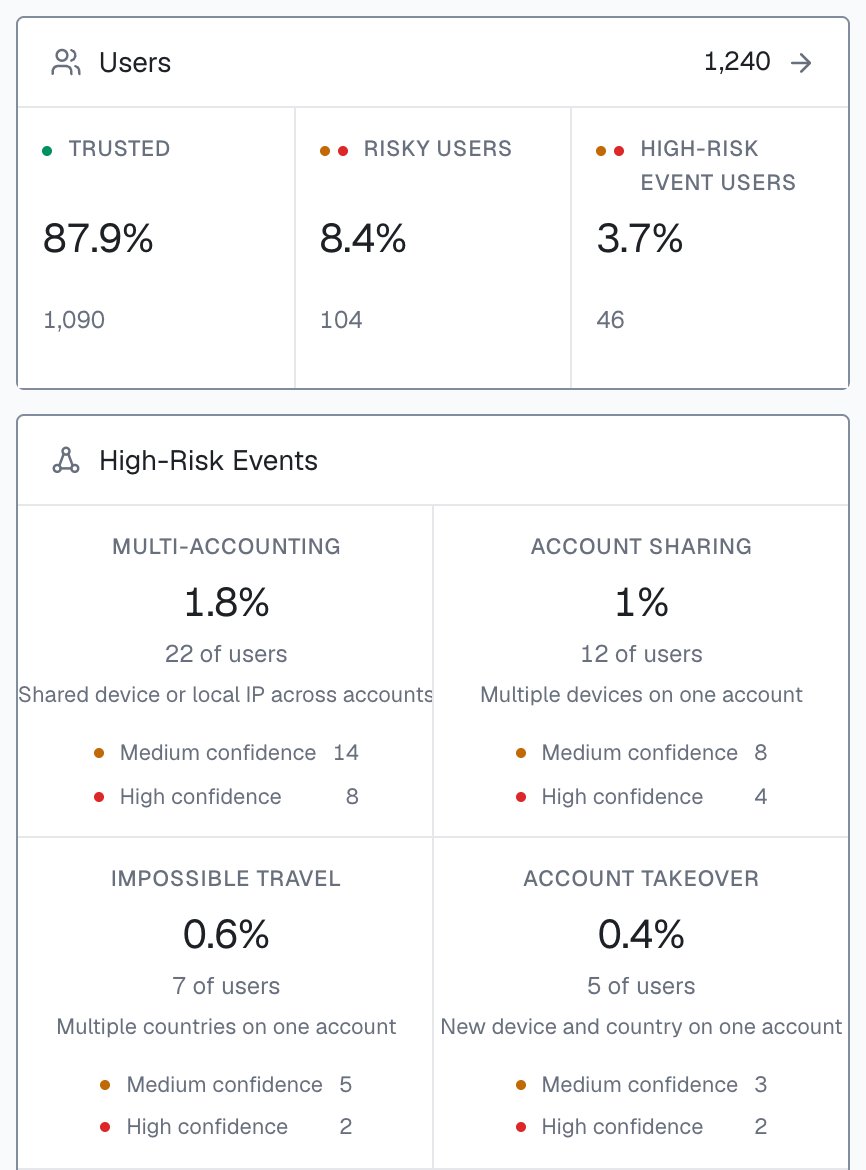
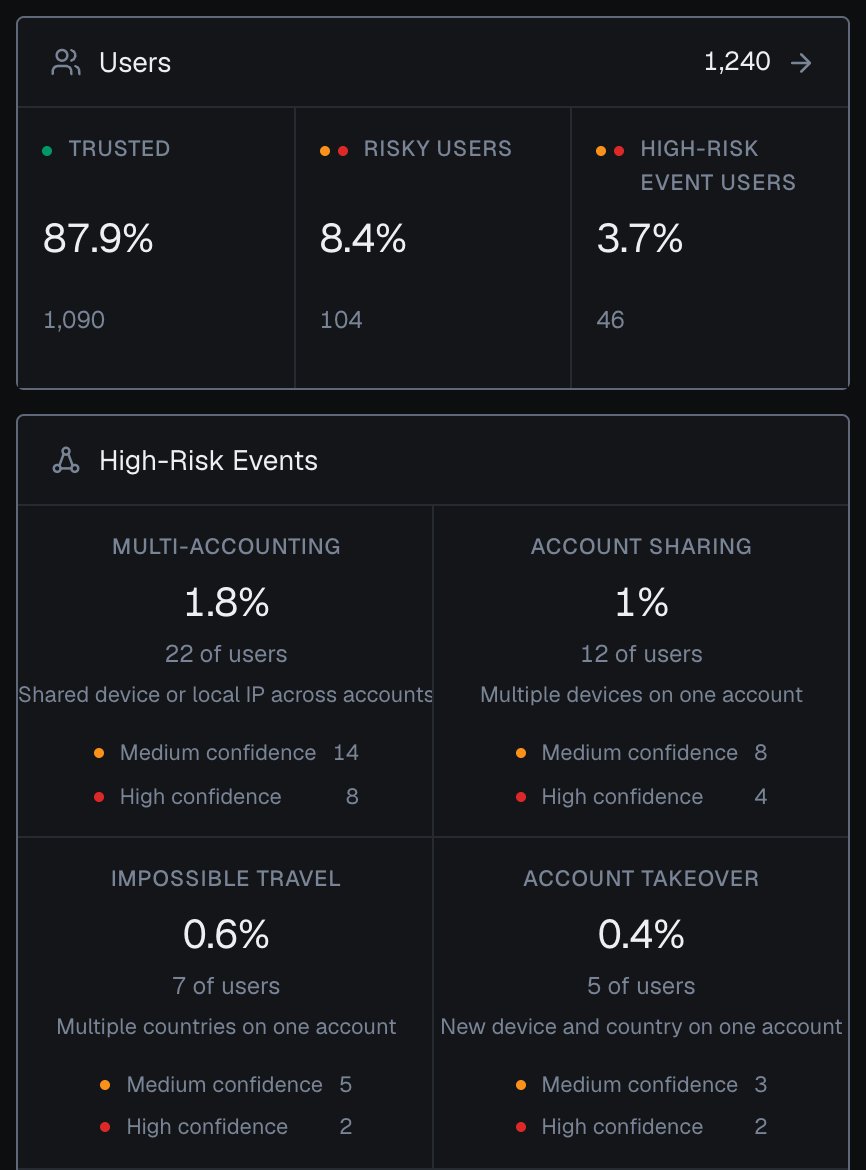
* **Across accounts,** the **Multi-accounting** [High-Risk Event](/features/high-risk-events#multi-accounting) links the accounts a single identification cannot show: several accounts run by one person, linked through the devices and network they share. By default it fires from 3 accounts on one visitor (a visitor is one device plus one cookie), and the threshold is configurable. Multi-accounting is detected even after cookies are cleared, since the shared devices and network keep the accounts linked, even when each session uses a fresh cookie and a different public IP. ShieldLabs detects it on your users out of the box, at **Medium** or **High** confidence, and it is available in the analytics dashboard, the API and webhooks.
* **On the account and the device,** the [History API](/api/server-api) returns every identification of one account by `user_hid` (its devices, visitors, IP addresses and worst band) and every account seen on one device by `device_id`. The shared [`accountView` and `accountsBehindDevice` helpers](/use-case#the-shared-helpers) read both.
* **Per identification,** the [Risk Score (0-100)](/features/risk-scoring) and its [risk signals](/features/risk-signals) tell you whether this one action is masked or automated. The signals that ride along with farming cover automation (Browser Automation, JavaScript Disabled), masking (VPN, Proxy, Tor, Privacy Relay, Browser VPN/Proxy, Datacenter IP, Abuser Flag), consistency (OS Mismatch, Timezone Mismatch) and Anti-detect Browser. Each can be innocent in isolation, so read them with the account's history.
High-Risk Events are a separate axis from the Risk Score and its bands, detected on the user rather than on one identification, so a user can be Trusted on every identification and still be multi-accounting. Multi-accounting links accounts through the hashed User HID, so pass it with `checkAuthenticatedUser` on every signed-in page. Detection works out of the box, without building rules or training a fraud model. See [High-Risk Events](/features/high-risk-events#multi-accounting).
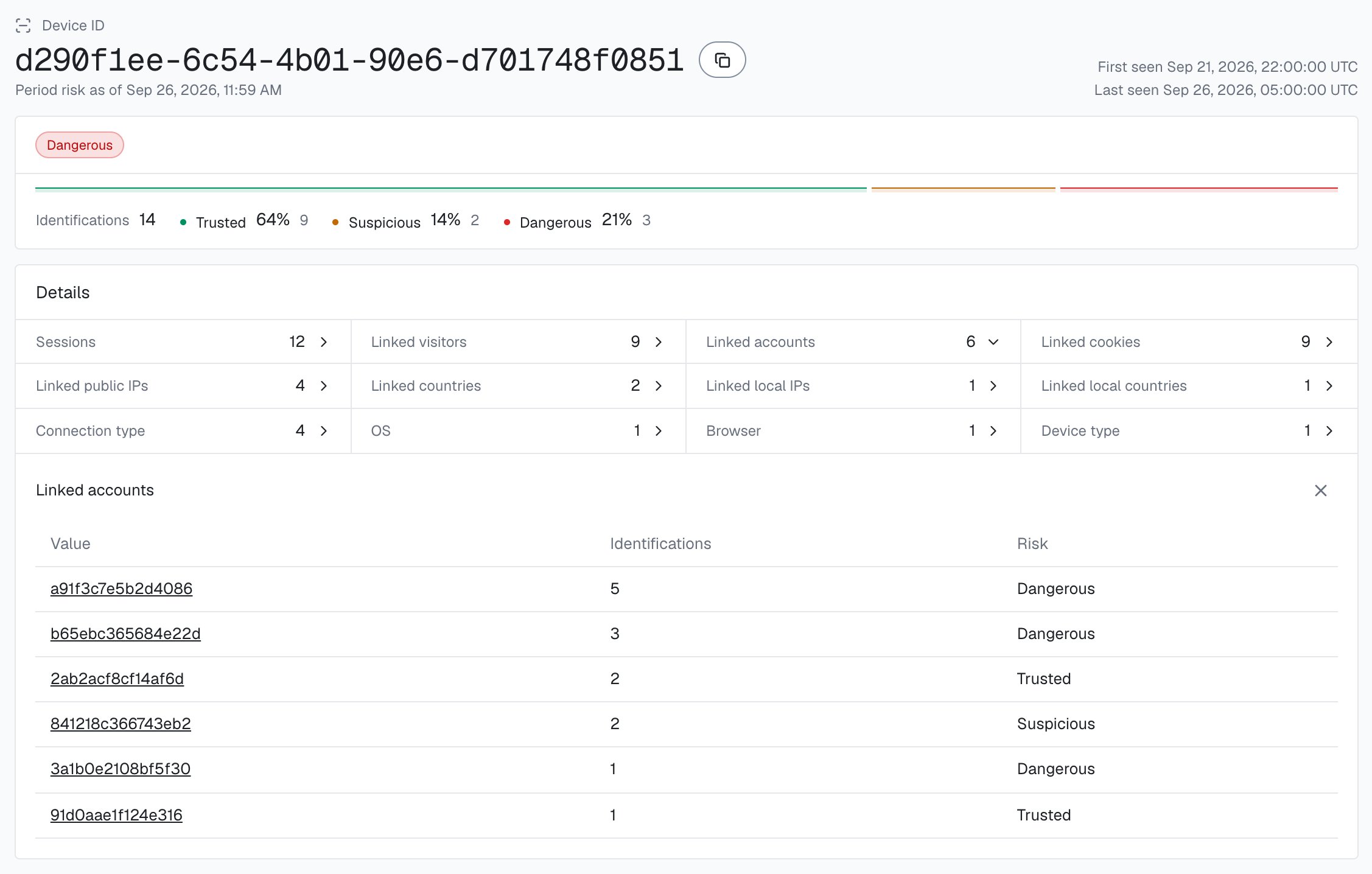
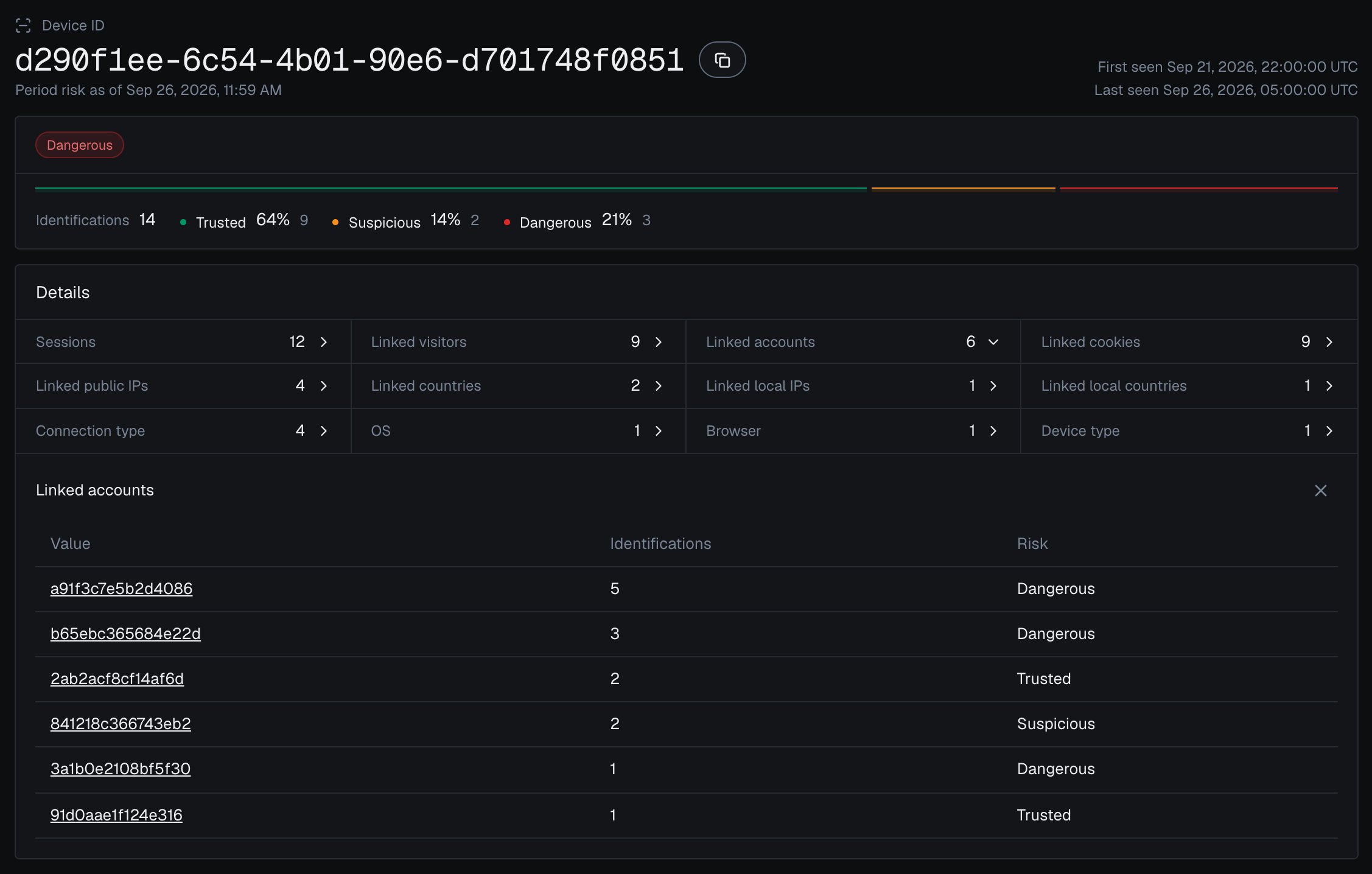
In the analytics dashboard, a [device card](/dashboard/entity-card) lists every account seen on that Device ID under **Linked accounts**, each with the band of its identifications on that device.
 ## Prevent multi-accounting
Read three things on the action that matters (signup, the reward or trial claim, a withdrawal): the Risk Score of this identification, the accounts already seen on its Device ID (a live History read, as the steps below show), and whether the account or its device is on your Multi-accounting watchlist, where you record the event when it arrives for a user through the API or webhooks, or when you review it in the analytics dashboard. Hold the action for verification when the device carries several accounts or the account has the event, and escalate further at **High** confidence or when the identification is also masked. The outcome is that the "different" customers a person creates collapse back to the one device behind them. You choose the action for each case in your backend.
## Prevent multi-accounting
Read three things on the action that matters (signup, the reward or trial claim, a withdrawal): the Risk Score of this identification, the accounts already seen on its Device ID (a live History read, as the steps below show), and whether the account or its device is on your Multi-accounting watchlist, where you record the event when it arrives for a user through the API or webhooks, or when you review it in the analytics dashboard. Hold the action for verification when the device carries several accounts or the account has the event, and escalate further at **High** confidence or when the identification is also masked. The outcome is that the "different" customers a person creates collapse back to the one device behind them. You choose the action for each case in your backend.
 ## Build it
[Start Free](https://app.shieldlabs.ai/) with 5,000 identifications, one time, no credit card, or log in. In the analytics dashboard, add the domain you want to protect under **Integration > Domains**, then open **Integration > API keys** and copy its keys with the copy button next to each. The **Public Key** loads the snippet in the browser. Keep the server credentials on your backend: the **Private API Key** reads the [History API](/api/server-api), and each webhook endpoint has its own `whsec_…` signing secret. See [API keys](/setup/keys) and [Integration](/dashboard/integration).
Add the [snippet](/setup/snippet) to your signed-in pages and pass the hashed User HID with `checkAuthenticatedUser` on every one of them. At the actions where multi-accounting pays off (the reward or trial claim, a withdrawal, a vote), call `forceCheckAuthenticatedUser` in place of the plain check when the page with the action opens: it runs a fresh identification for the action even if the page before it was checked a moment ago, so you score the live session. `onInitialized` fires when the check starts, before the snippet has sent the identification, so do not navigate away inside it: store the request ID and let the form submit normally. Pass the account's hashed id, never a raw email.
```html account-action.html theme={null}
```
ShieldLabs scores the identification and posts the result to your endpoint. The canonical fields are `request_id`, `device_id`, `visitor_id`, `user_hid`, `public_ip`, `local_ip`, `risk_score`, `signals`, and [`detection_flags`](/glossary#detection-flags) (full schema in the [webhook reference](/api/webhooks)). Verify `X-Shield-Signature` on the raw body, respond fast, and cache the result by `request_id` with the shared [`waitForScore` helper](/use-case#the-shared-helpers). If a webhook is ever missed, that helper falls back to a [History API](/api/server-api) read by `request_id` and maps it to the same field names.
```json A multi-accounting-shaped webhook theme={null}
{
"request_id": "13f84f05-7c2a-4e9b-9f1d-2a6b8c0e4d11",
"device_id": "5eb7fd5c-2a1b-4c3d-9e8f-7a6b5c4d3e2f",
"visitor_id": "161dfbad-8e7f-4a6b-9c5d-0e1f2a3b4c5d",
"user_hid": "8a9f...hashed-account-id",
"public_ip": { "ip": "203.0.113.42", "country": "US" },
"local_ip": { "ip": "198.51.100.23", "country": "US" },
"risk_score": 20,
"signals": [
{ "name": "proxy", "weight": 10 },
{ "name": "datacenter_ip", "weight": 10 }
],
"detection_flags": { "proxy": true, "datacenter_ip": true, "ip_mismatch": true },
"observed_at": "2026-06-16T18:00:45Z"
}
```
The signals tell you a single action is masked; the Multi-accounting High-Risk Event is what links the accounts. At the action itself, count the distinct accounts that have appeared on one `device_id` across [History](/api/server-api), check the account against your Multi-accounting watchlist, and use the Risk Score to escalate an action that is both masked and on an already-crowded device.
```js api/account-action.js theme={null}
app.post('/api/account-action', async (req, res) => {
const { shieldlabsRequestId } = req.body;
const userHid = req.user.hashedId; // the hashed id you pass to the snippet
// 1. The guard: read the identification (cache, then History fallback).
const risk = await waitForScore(shieldlabsRequestId, 2000);
if (!risk) {
return res.status(200).json({ requireVerification: true, reason: 'no_identification' });
}
if (risk.user_hid !== userHid) {
return res.status(200).json({ requireVerification: true, reason: 'identification_mismatch' });
}
if (risk.risk_score > 100) {
return res.status(200).json({ requireVerification: true, reason: 'rate_limit_marker' });
}
// 2. The all-zero Device ID means no usable device signals reached ShieldLabs:
// there is no device to count accounts on, so route it to verification.
if (risk.device_id === NIL_DEVICE) {
return res.status(200).json({ requireVerification: true, reason: 'no_usable_device' });
}
// 3. Count the distinct accounts that have appeared on this one device.
// accountsBehindDevice reads the newest 100 identifications and leaves out
// "anonymous". For a high-traffic device, keep the set in your own store (see note).
// A failed History read is unverified: route it to verification.
const accountsOnDevice = await accountsBehindDevice(risk.device_id).catch(() => null);
if (accountsOnDevice === null) {
return res.status(200).json({ requireVerification: true, reason: 'history_unavailable' });
}
// 4. Accounts with a Multi-accounting event, recorded when it arrives through
// the API or webhooks or when you review it in the analytics dashboard:
// null, 'medium' or 'high' (your own store).
const watched = await multiAccountingWatchlist.get(userHid);
// 5. Choose the action for each case. Branch on the count, your watchlist and
// the band; signals[].name slugs are stable if one signal matters on its own.
// Tune YOUR_ACCOUNT_LIMIT against your own traffic.
if (watched === 'high') {
return res.status(200).json({ requireVerification: true, reason: 'held_for_review' });
}
if (watched || accountsOnDevice >= YOUR_ACCOUNT_LIMIT) {
return res.status(200).json({ requireVerification: true, reason: 'many_accounts_one_device' });
}
if (band(risk.risk_score) === 'Dangerous') {
return res.status(200).json({ requireVerification: true, reason: 'masked_session' });
}
return allow(req, res);
});
```
```bash Read the device's account history theme={null}
curl "https://account.shieldlabs.ai/api/v1/history/device_id/5eb7fd5c-2a1b-4c3d-9e8f-7a6b5c4d3e2f?limit=100" \
-H "Authorization: Bearer sec_your_private_api_key"
```
A single History read returns at most 100 rows (the `limit` cap), newest first, so a one-page read can undercount a heavily farmed device. For high-traffic devices, paginate with `offset`, or, cleaner, upsert the `user_hid` into a per-device set in your own datastore as each webhook arrives. The **Multi-accounting** High-Risk Event links accounts on the server and is available in the analytics dashboard, the API and webhooks; a watchlist built from it is the complement when you do not want to paginate. History reads through `account.shieldlabs.ai` are free.
A person using several separate browsers shows up as several devices; the **Multi-accounting** High-Risk Event still links those accounts through the network they share. The webhook carries two IP objects. `public_ip` is the public address and its country, which a VPN or proxy can put anywhere. `local_ip` is the Local IP: the address the browser itself reports, which can differ from the public IP behind a VPN or proxy and can expose the network behind the mask. `detection_flags.ip_mismatch` is `true` whenever the two are different addresses. It is informational, adds nothing to the Risk Score and can be ordinary on mobile networks, so compare `local_ip.country` with `public_ip.country` rather than branching on the flag alone. The durable link is the value of `local_ip.ip`, not the flag: when a farm rotates public IPs through a proxy pool, `local_ip.ip` often stays the same, so you can correlate accounts on it straight from the webhook.
```js theme={null}
// History does not search by local_ip, so keep this set in your own store.
// local_ip.ip is empty when the Local IP was not captured, and local_ip is
// null on the History fallback.
const localKey = risk.local_ip?.ip;
if (localKey) {
accountsByLocalNetwork.add(localKey, risk.user_hid); // upsert per webhook
}
```
A high Risk Score or a shared device calls for a closer look: a family on one shared laptop, a shared office network or a privacy browser can all produce these shapes. Decide on the account count, the score and your own context, start in a logging-only mode, and raise friction where the data justifies it.
## Test it
You do not need a real farm to confirm the link holds. Create or sign in to one account in your normal browser and note the `device_id` on the webhook. Then clear cookies or open a private or incognito window, and act again as a different account. The `cookie_id` and `visitor_id` change every time, but the same `device_id` returns, and the distinct `user_hid` count on that device climbs with each run: the count step 4 gates on. A second browser gets its own `device_id`, which step 5 covers. Toggling a VPN or proxy adds the matching risk signals to the score without changing the Device ID.
## Recommended starting policy
A guide, not a rule. Layer the conditions: real multi-accounting trips more than one, and friction should rise as they stack.
| Signal at the action | Suggested action |
| - | - |
| One account on the Device ID, Trusted Risk Score (0-29) | Allow |
| One account on the Device ID, Suspicious Risk Score (30-59) | Allow, log and watch the device |
| One account on the Device ID, Dangerous Risk Score (60-100) | Require verification before continuing |
| User on your Multi-accounting watchlist, **Medium** confidence | Require verification, regardless of the Risk Score |
| User on your Multi-accounting watchlist, **High** confidence | Hold and route to review |
| No identification for the action, or an all-zero Device ID | Require verification; there is no device to count accounts on |
## Next
The create-time gate: join accounts to the Device ID at registration to thin the farm before it acts.
The reward-time gate: count accounts behind one device at redemption to stop bonus and free-trial farming.
Repeat signup and deposit bonuses claimed through duplicate accounts on one device.
Points and tier rewards farmed across many linked accounts instead of genuine activity.
The mechanism here is the same root behind other abuse: link accounts by the durable [Device ID](/features/identification), read the [Risk Score](/features/risk-scoring) of each identification and its [risk signals](/features/risk-signals), and act on the [Multi-accounting High-Risk Event](/features/high-risk-events#multi-accounting). It sits behind [free-trial abuse](/use-case/free-trial-abuse), [affiliate fraud](/use-case/affiliate-fraud), and [Sybil attacks](/use-case/sybil-attack).
This documentation is built and hosted on [Mintlify](https://mintlify.com), a developer documentation platform.
## Build it
[Start Free](https://app.shieldlabs.ai/) with 5,000 identifications, one time, no credit card, or log in. In the analytics dashboard, add the domain you want to protect under **Integration > Domains**, then open **Integration > API keys** and copy its keys with the copy button next to each. The **Public Key** loads the snippet in the browser. Keep the server credentials on your backend: the **Private API Key** reads the [History API](/api/server-api), and each webhook endpoint has its own `whsec_…` signing secret. See [API keys](/setup/keys) and [Integration](/dashboard/integration).
Add the [snippet](/setup/snippet) to your signed-in pages and pass the hashed User HID with `checkAuthenticatedUser` on every one of them. At the actions where multi-accounting pays off (the reward or trial claim, a withdrawal, a vote), call `forceCheckAuthenticatedUser` in place of the plain check when the page with the action opens: it runs a fresh identification for the action even if the page before it was checked a moment ago, so you score the live session. `onInitialized` fires when the check starts, before the snippet has sent the identification, so do not navigate away inside it: store the request ID and let the form submit normally. Pass the account's hashed id, never a raw email.
```html account-action.html theme={null}
```
ShieldLabs scores the identification and posts the result to your endpoint. The canonical fields are `request_id`, `device_id`, `visitor_id`, `user_hid`, `public_ip`, `local_ip`, `risk_score`, `signals`, and [`detection_flags`](/glossary#detection-flags) (full schema in the [webhook reference](/api/webhooks)). Verify `X-Shield-Signature` on the raw body, respond fast, and cache the result by `request_id` with the shared [`waitForScore` helper](/use-case#the-shared-helpers). If a webhook is ever missed, that helper falls back to a [History API](/api/server-api) read by `request_id` and maps it to the same field names.
```json A multi-accounting-shaped webhook theme={null}
{
"request_id": "13f84f05-7c2a-4e9b-9f1d-2a6b8c0e4d11",
"device_id": "5eb7fd5c-2a1b-4c3d-9e8f-7a6b5c4d3e2f",
"visitor_id": "161dfbad-8e7f-4a6b-9c5d-0e1f2a3b4c5d",
"user_hid": "8a9f...hashed-account-id",
"public_ip": { "ip": "203.0.113.42", "country": "US" },
"local_ip": { "ip": "198.51.100.23", "country": "US" },
"risk_score": 20,
"signals": [
{ "name": "proxy", "weight": 10 },
{ "name": "datacenter_ip", "weight": 10 }
],
"detection_flags": { "proxy": true, "datacenter_ip": true, "ip_mismatch": true },
"observed_at": "2026-06-16T18:00:45Z"
}
```
The signals tell you a single action is masked; the Multi-accounting High-Risk Event is what links the accounts. At the action itself, count the distinct accounts that have appeared on one `device_id` across [History](/api/server-api), check the account against your Multi-accounting watchlist, and use the Risk Score to escalate an action that is both masked and on an already-crowded device.
```js api/account-action.js theme={null}
app.post('/api/account-action', async (req, res) => {
const { shieldlabsRequestId } = req.body;
const userHid = req.user.hashedId; // the hashed id you pass to the snippet
// 1. The guard: read the identification (cache, then History fallback).
const risk = await waitForScore(shieldlabsRequestId, 2000);
if (!risk) {
return res.status(200).json({ requireVerification: true, reason: 'no_identification' });
}
if (risk.user_hid !== userHid) {
return res.status(200).json({ requireVerification: true, reason: 'identification_mismatch' });
}
if (risk.risk_score > 100) {
return res.status(200).json({ requireVerification: true, reason: 'rate_limit_marker' });
}
// 2. The all-zero Device ID means no usable device signals reached ShieldLabs:
// there is no device to count accounts on, so route it to verification.
if (risk.device_id === NIL_DEVICE) {
return res.status(200).json({ requireVerification: true, reason: 'no_usable_device' });
}
// 3. Count the distinct accounts that have appeared on this one device.
// accountsBehindDevice reads the newest 100 identifications and leaves out
// "anonymous". For a high-traffic device, keep the set in your own store (see note).
// A failed History read is unverified: route it to verification.
const accountsOnDevice = await accountsBehindDevice(risk.device_id).catch(() => null);
if (accountsOnDevice === null) {
return res.status(200).json({ requireVerification: true, reason: 'history_unavailable' });
}
// 4. Accounts with a Multi-accounting event, recorded when it arrives through
// the API or webhooks or when you review it in the analytics dashboard:
// null, 'medium' or 'high' (your own store).
const watched = await multiAccountingWatchlist.get(userHid);
// 5. Choose the action for each case. Branch on the count, your watchlist and
// the band; signals[].name slugs are stable if one signal matters on its own.
// Tune YOUR_ACCOUNT_LIMIT against your own traffic.
if (watched === 'high') {
return res.status(200).json({ requireVerification: true, reason: 'held_for_review' });
}
if (watched || accountsOnDevice >= YOUR_ACCOUNT_LIMIT) {
return res.status(200).json({ requireVerification: true, reason: 'many_accounts_one_device' });
}
if (band(risk.risk_score) === 'Dangerous') {
return res.status(200).json({ requireVerification: true, reason: 'masked_session' });
}
return allow(req, res);
});
```
```bash Read the device's account history theme={null}
curl "https://account.shieldlabs.ai/api/v1/history/device_id/5eb7fd5c-2a1b-4c3d-9e8f-7a6b5c4d3e2f?limit=100" \
-H "Authorization: Bearer sec_your_private_api_key"
```
A single History read returns at most 100 rows (the `limit` cap), newest first, so a one-page read can undercount a heavily farmed device. For high-traffic devices, paginate with `offset`, or, cleaner, upsert the `user_hid` into a per-device set in your own datastore as each webhook arrives. The **Multi-accounting** High-Risk Event links accounts on the server and is available in the analytics dashboard, the API and webhooks; a watchlist built from it is the complement when you do not want to paginate. History reads through `account.shieldlabs.ai` are free.
A person using several separate browsers shows up as several devices; the **Multi-accounting** High-Risk Event still links those accounts through the network they share. The webhook carries two IP objects. `public_ip` is the public address and its country, which a VPN or proxy can put anywhere. `local_ip` is the Local IP: the address the browser itself reports, which can differ from the public IP behind a VPN or proxy and can expose the network behind the mask. `detection_flags.ip_mismatch` is `true` whenever the two are different addresses. It is informational, adds nothing to the Risk Score and can be ordinary on mobile networks, so compare `local_ip.country` with `public_ip.country` rather than branching on the flag alone. The durable link is the value of `local_ip.ip`, not the flag: when a farm rotates public IPs through a proxy pool, `local_ip.ip` often stays the same, so you can correlate accounts on it straight from the webhook.
```js theme={null}
// History does not search by local_ip, so keep this set in your own store.
// local_ip.ip is empty when the Local IP was not captured, and local_ip is
// null on the History fallback.
const localKey = risk.local_ip?.ip;
if (localKey) {
accountsByLocalNetwork.add(localKey, risk.user_hid); // upsert per webhook
}
```
A high Risk Score or a shared device calls for a closer look: a family on one shared laptop, a shared office network or a privacy browser can all produce these shapes. Decide on the account count, the score and your own context, start in a logging-only mode, and raise friction where the data justifies it.
## Test it
You do not need a real farm to confirm the link holds. Create or sign in to one account in your normal browser and note the `device_id` on the webhook. Then clear cookies or open a private or incognito window, and act again as a different account. The `cookie_id` and `visitor_id` change every time, but the same `device_id` returns, and the distinct `user_hid` count on that device climbs with each run: the count step 4 gates on. A second browser gets its own `device_id`, which step 5 covers. Toggling a VPN or proxy adds the matching risk signals to the score without changing the Device ID.
## Recommended starting policy
A guide, not a rule. Layer the conditions: real multi-accounting trips more than one, and friction should rise as they stack.
| Signal at the action | Suggested action |
| - | - |
| One account on the Device ID, Trusted Risk Score (0-29) | Allow |
| One account on the Device ID, Suspicious Risk Score (30-59) | Allow, log and watch the device |
| One account on the Device ID, Dangerous Risk Score (60-100) | Require verification before continuing |
| User on your Multi-accounting watchlist, **Medium** confidence | Require verification, regardless of the Risk Score |
| User on your Multi-accounting watchlist, **High** confidence | Hold and route to review |
| No identification for the action, or an all-zero Device ID | Require verification; there is no device to count accounts on |
## Next
The create-time gate: join accounts to the Device ID at registration to thin the farm before it acts.
The reward-time gate: count accounts behind one device at redemption to stop bonus and free-trial farming.
Repeat signup and deposit bonuses claimed through duplicate accounts on one device.
Points and tier rewards farmed across many linked accounts instead of genuine activity.
The mechanism here is the same root behind other abuse: link accounts by the durable [Device ID](/features/identification), read the [Risk Score](/features/risk-scoring) of each identification and its [risk signals](/features/risk-signals), and act on the [Multi-accounting High-Risk Event](/features/high-risk-events#multi-accounting). It sits behind [free-trial abuse](/use-case/free-trial-abuse), [affiliate fraud](/use-case/affiliate-fraud), and [Sybil attacks](/use-case/sybil-attack).
This documentation is built and hosted on [Mintlify](https://mintlify.com), a developer documentation platform.