

These are integration security controls. ShieldLabs returns a Risk Score (
0-100: Trusted / Suspicious / Dangerous) and its named risk signals on each identification; you choose the action for each case and act on the result in your backend.Webhook authenticity (HMAC-SHA256)
Your webhook URL is a public endpoint. Anyone who learns it can POST to it. The only thing that proves a delivery actually came from ShieldLabs is its signature, so verify every webhook before you trust the body. The signature is theX-Shield-Signature header: sha256= plus the hex HMAC-SHA256 (a keyed cryptographic hash that only someone holding the secret can produce) of the raw request body, keyed with that endpoint’s whsec_… signing secret, constant-time compared, rejecting with 401 on a mismatch.
The exact formula, the Node, Go, and Python handlers, the raw-bytes gotcha, and idempotency on request_id all live on the webhooks page.
Key handling
Every domain has a Public Key, a Private API Key, and a Secret Key, scoped to that single domain. They have different trust levels. The API keys page is the full reference for which key each API uses.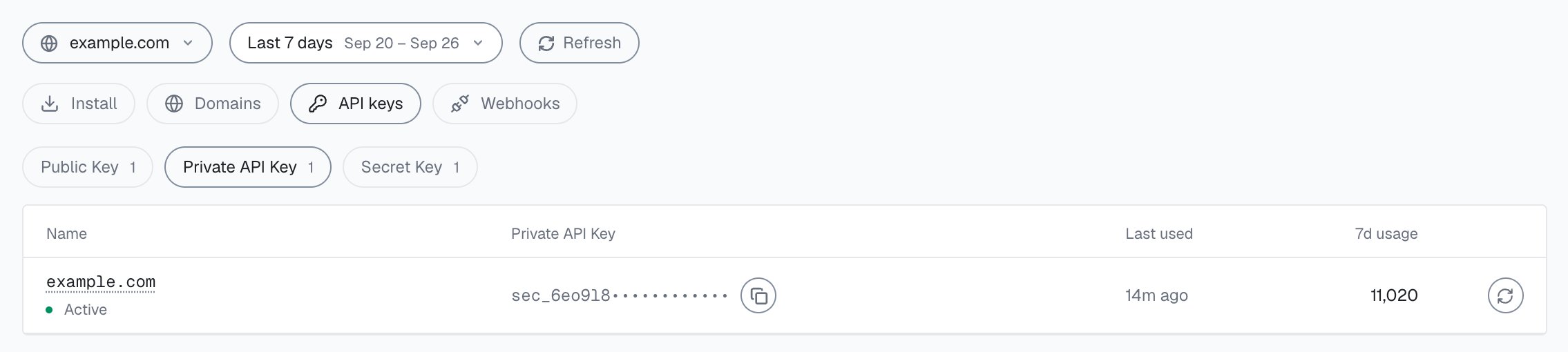
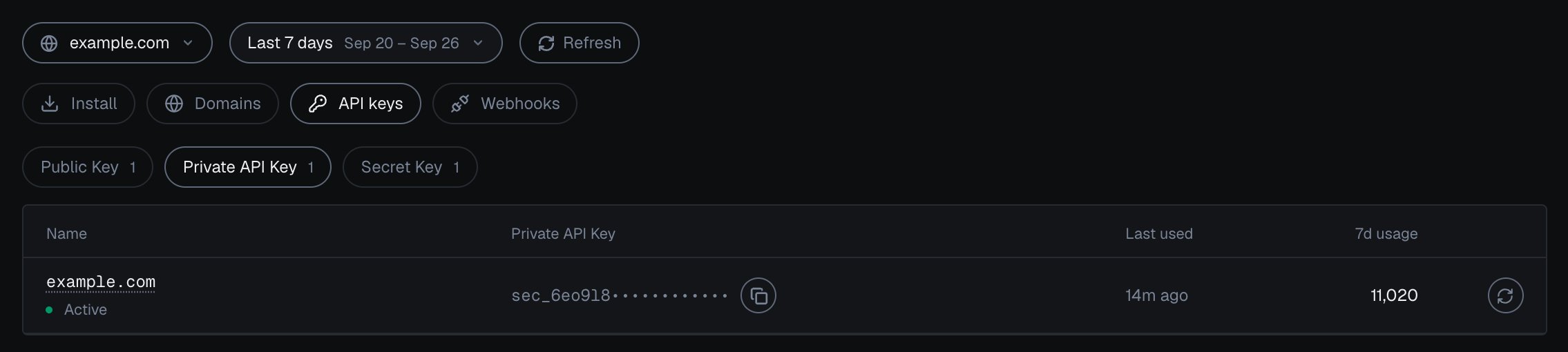
Integration > API keys in the analytics dashboard: one domain's Private API Key, masked, with tabs for Public Key, Private API Key and Secret Key.
?publicKey= parameter and cannot read data, change settings, or authenticate against the Server API. A browser request is accepted only when the Public Key matches the domain the page is served from (anything else gets 401 before it counts), so a key lifted from your page does not work on someone else’s site. Scripted traffic that presents your domain typically shows up with automation risk signals, and you can rotate the key.
Your server-side keys (the Private API Key and the Secret Key) authenticate the Server API. Anyone holding one can read your domain’s data, so they must never reach the browser. Webhook endpoints use separate whsec_… secrets; treat a leaked webhook secret the same way and use Rotate secret on the endpoint under Integration > Webhooks in the analytics dashboard.
Rotate when exposed
If a secret may have leaked (a committed.env, a log line, an offboarded teammate), open Integration > API keys in the analytics dashboard and Rotate the exposed key right away. Rotate replaces only the key you select, and the previous value stops working immediately, so update the snippet (Public Key) or your server-side code (Private API Key or Secret Key) in the same change. The rotation flow and the profile health check live on the API keys page, and Integration describes the screen.
Transport security (HTTPS / TLS)
Every ShieldLabs web endpoint is served over HTTPS.- ShieldLabs hosts (
cdn.shieldlabs.ai,rest.shieldlabs.ai,webrtc.shieldlabs.ai,api.shieldlabs.ai,account.shieldlabs.ai,app.shieldlabs.ai) are served over TLS (the encryption behind HTTPS). The snippet also connects towss://rest.shieldlabs.aiand, for its network check, toice.shieldlabs.ai; the CSP page lists the exact directives. - Your webhook callback URL must be HTTPS. It receives signed Risk Scores and identifiers, so terminate TLS in front of your handler.
- Your Server API calls must be HTTPS. They carry your server-side keys, so a plaintext request would put a credential on the wire. Always call over HTTPS (
https://account.shieldlabs.ai/…,https://api.shieldlabs.ai/…).
Payload protection
The snippet posts torest.shieldlabs.ai over HTTPS, and TLS keeps the payload confidential in transit. Each payload is also sealed with AES-256-GCM and bound to its request ID and a one-time server challenge, and a request ID that was already processed is refused (409).
There is nothing for you to configure. Keep every page that loads the snippet on HTTPS.
Data handling on your side
A few practices keep the data you exchange with ShieldLabs clean.- Pass a hashed User HID, never a raw identifier. Call
checkAuthenticatedUserwith a hashed or pseudonymous account id, not a real email or user id. The User HID is the account key: users, account-level risk and all four High-Risk Events are built on it. It comes back asuser_hidin webhooks and History rows, so keep it opaque. - The Public Key is the only credential in the browser. Identifiers like the Cookie ID and Session ID live client-side by design and break on storage clear. The durable Device ID and the Risk Score are derived server-side and reach you through verified webhooks and the Server API; the page never assembles them.
- Keep raw signals server-side. Read Risk Scores and risk signals from your verified webhook handler or the History API, and apply the allow / step up / review / block action in your backend.
Responsible disclosure
If you find a security issue in ShieldLabs, report it privately to contact@shieldlabs.ai. Please include enough detail to reproduce it, and give us a reasonable window to confirm and fix before any public disclosure. We do not pursue good-faith researchers who follow coordinated disclosure.Security checklist
1
Verify every webhook
Constant-time compare
X-Shield-Signature against HMAC-SHA256 of the raw request body, keyed with the endpoint’s whsec_… secret. Reject with 401 on a mismatch.2
Keep the secret on the server
Secret Key in an environment variable or secrets manager, never in the browser. One key set per domain.
3
Rotate on exposure
Rotate the exposed key the moment it may have leaked, then update the snippet and your server in the same change.
4
HTTPS everywhere
Snippet pages, your callback URL, and your Server API calls all over TLS. The snippet needs a secure context to run.
5
Hash the User HID
Send only a hashed or pseudonymous account id to
checkAuthenticatedUser.Related pages
Webhooks
X-Shield-Signature verification in Node, Go, and Python, and idempotency on request_id.API keys
The Public Key, Private API Key and Secret Key, which API each one opens, and rotation.
Content Security Policy
The exact
script-src and connect-src directives the snippet needs.Privacy
What is and is not collected, and who controls retention.